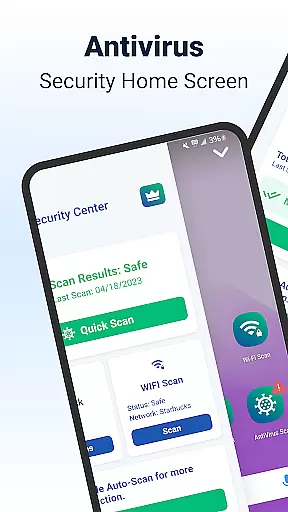
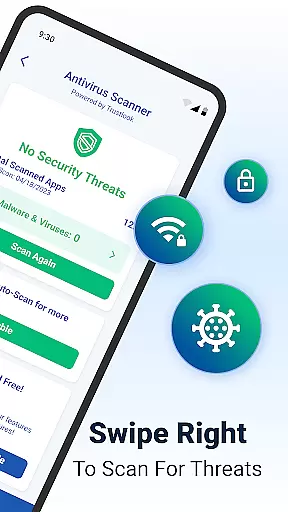
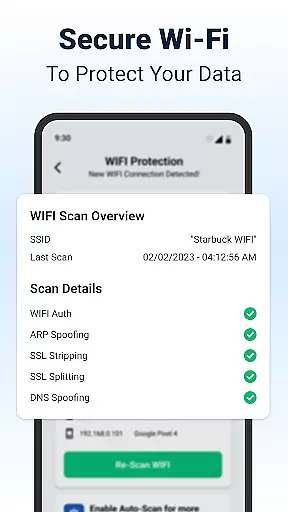
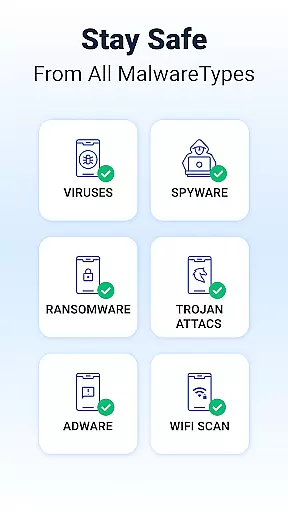
Shield Antivirus Home Screen is a comprehensive security solution designed specifically for Android devices. This free app provides robust protection against viruses, malware, and various cyber threats while enhancing user privacy through advanced features like secure WiFi scanning.
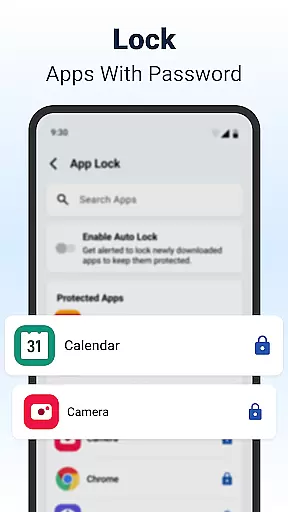
The app includes an AI-driven antivirus scanner with a 99% detection rate, ensuring accurate identification and blocking of malicious software. Additionally, Shield offers AppLock functionality, allowing users to secure sensitive apps with passwords or fingerprints. Its customizable home screen and extensive privacy controls make it a versatile tool for both security and personalization.
Whether you're looking to protect your device on public networks or customize your Android experience, Shield delivers a unique combination of security and style. The optional Shield Pro upgrade provides an ad-free experience with enhanced protection features, making it suitable for users seeking complete peace of mind.
Shield Antivirus stands out with its advanced feature set tailored for modern Android users. The app's AI-powered antivirus engine scans installed applications in seconds, achieving a detection rate of 99% with minimal false positives. This ensures real-time protection against malware, spyware, and other potential risks.
Beyond antivirus capabilities, Shield incorporates privacy-focused tools such as AppLock, which secures sensitive applications using fingerprint authentication or PIN codes. Users can also hide apps and scan WiFi networks for vulnerabilities like ARP spoofing and DNS attacks. These features collectively safeguard personal data even when connected to unsecured public networks.
For those who value aesthetics, Shield allows extensive customization of the home screen interface. From personalized lock screens to adjustable privacy settings, the app ensures that security doesn't come at the expense of style. The optional Shield Pro subscription removes ads and unlocks additional premium features for a seamless user experience.
Shield Antivirus Home Screen offers a rich array of customization options that allow users to tailor their Android experience. The app provides personalized lock screen settings, enabling users to design their device's appearance according to their preferences.
In addition to aesthetic personalization, Shield includes privacy-oriented features such as AppLock, which secures sensitive applications with a password or fingerprint. This dual focus on style and security ensures that users can enjoy a customized interface without compromising their personal information.
The level of personalization extends to the home screen, where intuitive privacy controls are integrated. Users can modify settings to suit their needs while benefiting from continuous protection against cyber threats.
With these comprehensive customization capabilities, Shield empowers users to create a unique and secure mobile environment that reflects their individuality while maintaining robust defense mechanisms.
Theme compatibility is a crucial aspect of Shield Antivirus Home Screen, ensuring that visual customizations do not disrupt the app's security functionalities. Users can apply various themes knowing they will work seamlessly with the appu2019s protective features.
Shield supports extensive theme options, allowing for changes in the overall look and feel of the device. These themes are designed to be compatible with the appu2019s privacy controls, preserving both form and function.
Furthermore, the app guarantees that all visual modifications, including those affecting the home screen layout and color schemes, integrate smoothly with its advanced security systems like WiFi scanning and antivirus protection.
This harmonious blend of aesthetics and security ensures that users can personalize their devices confidently, enjoying both an attractive interface and peace of mind regarding their digital safety.
Powerful AI-driven antivirus
Advanced WiFi security scanning
Customizable home screen options
Free essential security features
User-friendly interface design
Limited protection without Pro
Occasional performance slowdowns
Ads in free version intrusive
Pro subscription comes at cost
Requires manual scan initiation

Glass style colourful icons with a One UI look and feel
 4.60
4.60
Prank your friends with realistic broken screen and cracked HD effects!
4.1
Make your phone look simple & luxury, like iDevice
4.60
More than 3000+ themes and 9000+ wallpapers for everybody!
4.10
100+ Stylish Fonts, Emojis, Symbols keyboard for Instagram & TikTok!
4.80
App Icon Changer & Shortcut Creator. Customize your icons without any watermarks
4.30 4.50
4.50
Customize phone with anime themes, 3D icons, aesthetic widgets & wallpapers
4.80
Cool custom fonts & keyboard themes! Symbols & font changer for Instagram
4.50
Winter's Journey: digital watch face for Galaxy Watch & Wear OS
4.80
A Colorful and Minimal icon pack in an Outline Style - Over 13,600 icons!
4.70
A launcher for Samsung Good Lock and Good Guardians modules without ads
4.70
Personalize your phone with stunning HD and 4K wallpapers!
4.70
Over 28,000 high quality icons to bring color & homogeneity to your phone.
4.60
300+ widgets inspired by Material You and Material 3 expressive design.
4.60 4.50
4.50
200+ Material Inspired Widgets
4.50
Unleash Your Creativity and Connect with Loved Ones with Lockscreen Drawing!
4.20
⭐ OneUI inspired Fluffy Icon Pack – Soft. Stylish. Standout. ⭐
4.2


User Reviews