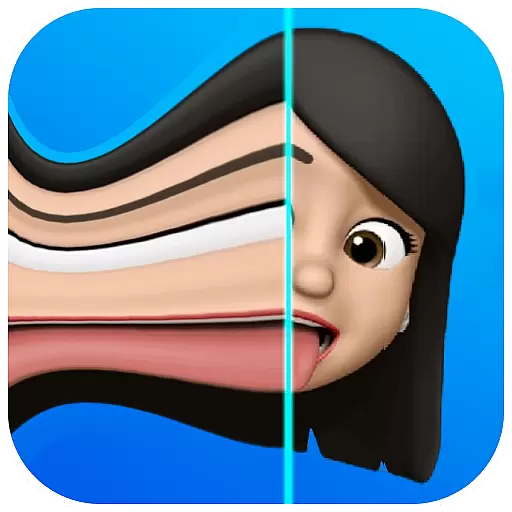
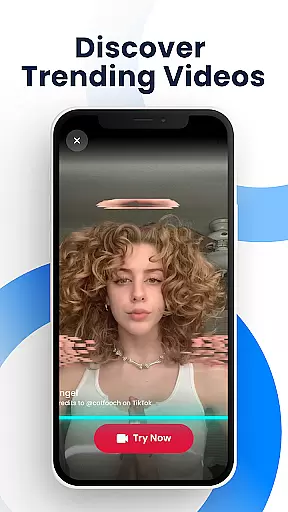
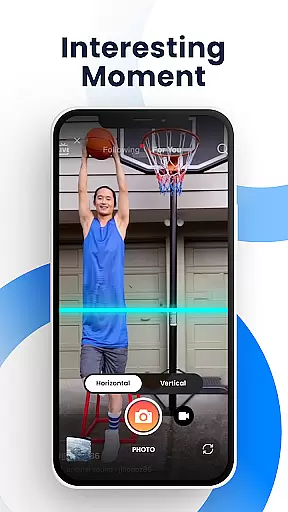
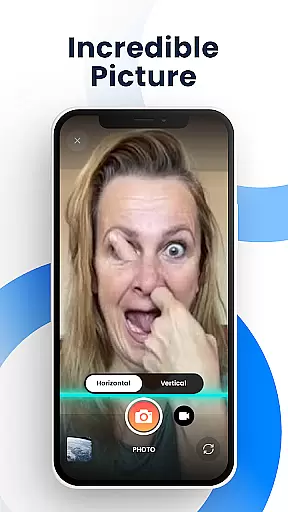
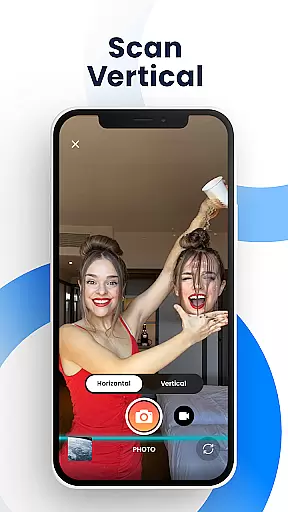
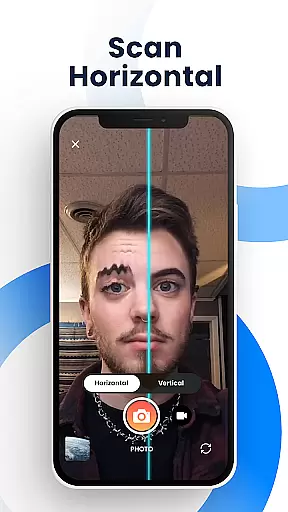
Time Warp Scan - Face Scanner is an innovative photography app that brings the popular TikTok-like time warp scan effect to your fingertips. This free application allows users to create unique and funny videos and pictures by applying a face-warping filter that has become a viral sensation on social media platforms. With features such as freezing the image when the 'blue line' passes, adjusting the direction of the scan, and controlling the speed of the effect, this app offers limitless creative possibilities for modern art photos and engaging content.
The app's core function lies in its ability to transform faces and objects into amusing and extraordinary shapes through its advanced slit-scan technology. Users can manipulate their images with ease, whether they want to lengthen fingers, change hairstyles, or give the body a more special form. The Time Warp Scan app is not just about static images; it also supports video filters, making it versatile for various types of content creation. Its intuitive interface ensures that anyone can quickly get started and produce share-worthy results.
Perfect for social media enthusiasts and content creators, Time Warp Scan - Face Scanner is ideal for those looking to catch up with viral trends and produce eye-catching visuals. By enabling easy sharing across multiple platforms like TikTok, Snapchat, Facebook, and Instagram, this app empowers users to amaze their friends and followers with professionally edited photos and videos without any cost or watermarks.
Time Warp Scan - Face Scanner stands out with its rich array of features designed to enhance user experience in photography and videography. One of the key highlights is the time warp scan photo and video filter, which lets users apply stunning effects to both images and videos. The support for changing brightness adds another layer of customization, allowing users to adjust their creations according to different lighting conditions and personal preferences.
Another remarkable feature is the flexibility in choosing the scan direction—users can swipe right or down—and adjusting the blue line speed to best fit their creative needs. This level of control ensures that each piece of content is truly unique. Additionally, the app provides options to save pictures and videos directly to the device's gallery, streamlining the process from creation to sharing. These capabilities make it exceptionally user-friendly while maintaining high-quality output standards.
By incorporating these advanced yet accessible tools, Time Warp Scan - Face Scanner delivers significant value to its users. It democratizes access to what were once complex editing techniques, now available at no cost and without watermarks. Whether you're looking to have fun with friends or aiming to boost your social media presence, this app equips you with everything needed to stand out in the digital world.
Real-time capture and preview functionality is essential for photography apps as it allows users to see exactly what the camera is capturing before taking a shot. This ensures that users can make necessary adjustments to achieve the desired outcome.
Time Warp Scan - Face Scanner offers an innovative real-time capture feature with its famous time warp scan effect. As the blue line passes over the frame, users can freeze the image at any moment, providing a unique way to capture expressions and scenes.
The app's ability to adjust the direction and speed of the blue line adds another layer of control. Whether moving vertically or horizontally, users have the flexibility to experiment with different scanning techniques, enhancing their creative possibilities.
This real-time functionality not only makes photo-taking more interactive but also helps users produce content that stands out on social media platforms. With instant feedback and the ability to save directly to the gallery, users can quickly share their creations with friends and followers.
AI beauty and enhancement features are becoming increasingly important in photography apps, allowing users to improve their photos naturally without making them look overly edited or artificial.
Time Warp Scan - Face Scanner incorporates AI technology to provide natural-looking enhancements. The app's slit-scan effects and face warp filters can transform faces into unique shapes while maintaining a realistic appearance, ensuring that the final images remain authentic and engaging.
Users can modify various aspects of their photos, such as adjusting brightness and choosing scan directions, which contribute to achieving a natural enhancement. These features empower users to create visually appealing content that aligns with current social media trends.
By offering tools like body reshaping and hair length adjustments through AI, the app enables users to express their creativity freely. The result is a collection of enhanced photos and videos that captivate audiences across platforms like TikTok, Snapchat, and Instagram, all while preserving the natural essence of the original content.
User-friendly interface
Versatile editing tools
No watermark on outputs
Supports both photos and videos
Highly customizable effects
Limited advanced features
Occasional performance lags
Basic tutorial only
Ads may interrupt usage
Compatibility issues reported

Long exposure camera with computational photography
 2.60
2.60
How would you look like with a differently shaped nose, chin or lips?
3.90
Gallery Slideshow is slideshow maker app for slideshow from your gallery photos.
3.90
Amazing Photo Effects - The most fun you can have with your photos!
4.70
GCamera allows all GCam features on all phone models! Better photos with GCamera
3.30
AI-powered video creator by MiniMax - Where ideas meet cinema
4.20
Hair color changer, AI haircut app, fun hair editor and buzz cut filter for all!
3.80
Enhance, upscale, and transform your images — on your device, without limits
4.70
Effortlessly make high-quality GIFs from images & videos without any watermarks.
4.70
The original Rarevision VHS look seen everywhere!
4.70
Transform photos into videos! Create realistic or anime-style images easily!
4.50
AI photo enhancer with Sora 2! Enhance, descratch, and colorize your old photos.
4.50
Search, tag and rate your way to an organized image gallery
4.40
AI portrait generator and polaroid AI selfie, fun AI generated AI photo creator!
4.30
Luminar: Photo Editor - easy picture editing with AI
4.20
Professional camera app that brings DSLR manual photography controls to Android.
4.20
Create & Edit with AI: AI Remove, Enhance, Retouch, Filter
4.10
The #1 app for B&W film developing featuring an advanced darkroom timer.
4.10
Superimpose one photo on top of another using the original Superimpose app!
3.20


User Reviews