
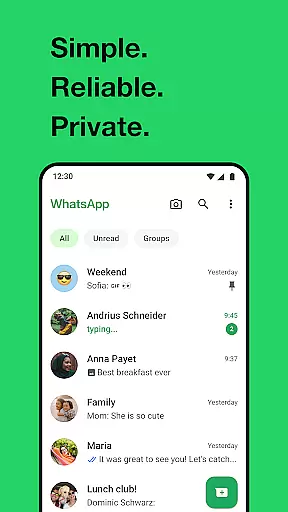
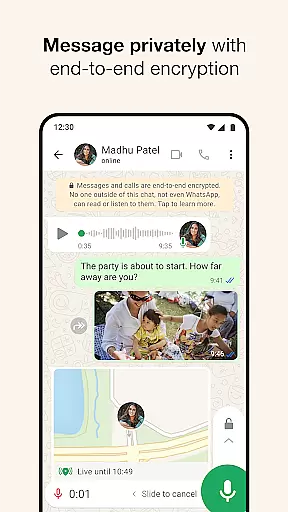
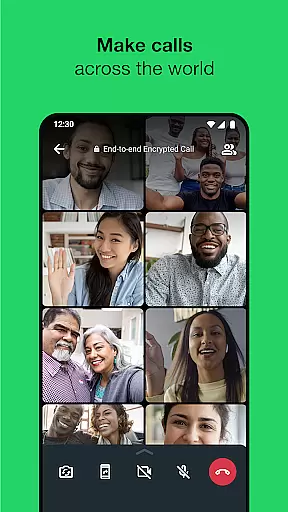

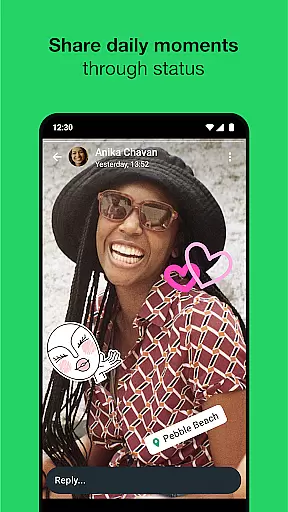
WhatsApp Messenger is a leading communication app that allows users to send messages, make voice and video calls, and share media across mobile and desktop platforms. Its core functionality lies in providing secure, end-to-end encrypted conversations, ensuring privacy for personal and group chats. The app also supports features like Status updates, real-time location sharing, and high-quality group calls with up to 32 participants.
Designed for global accessibility, WhatsApp operates seamlessly even on slower internet connections and eliminates the need for usernames or additional logins—just link it with your phone number. It’s an essential tool for staying connected with friends, family, and colleagues while offering advanced security measures that protect user data from unauthorized access.
WhatsApp stands out due to its robust feature set tailored for both individuals and groups. One of its key highlights is end-to-end encryption, which secures all messages, voice calls, video calls, and shared files. This ensures that only the sender and recipient can access the content, making it one of the most secure messaging platforms available today.
Beyond private messaging, WhatsApp offers group chats where users can collaborate by sharing photos, videos, documents, and voice notes. The Status feature lets users post updates visible for 24 hours, while real-time location sharing provides flexibility in personal and professional scenarios. Additionally, support for high-quality voice and video calls with up to 32 people enhances its utility as a versatile communication tool.
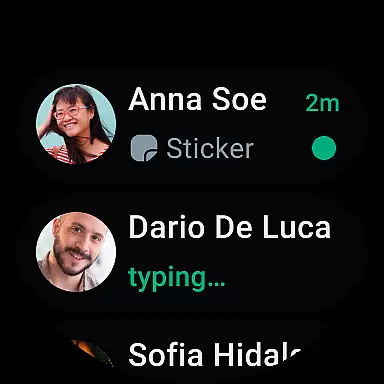
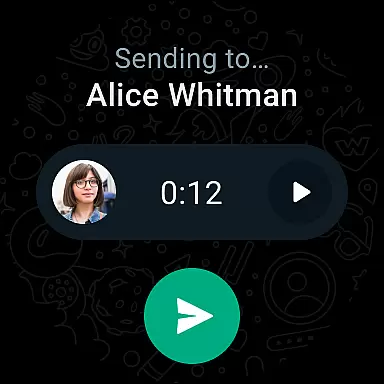
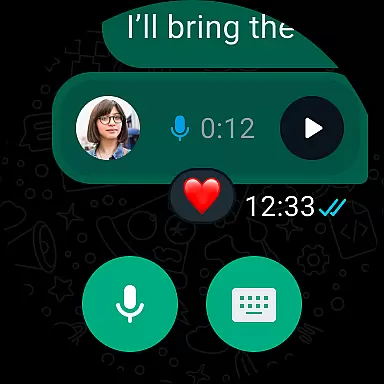
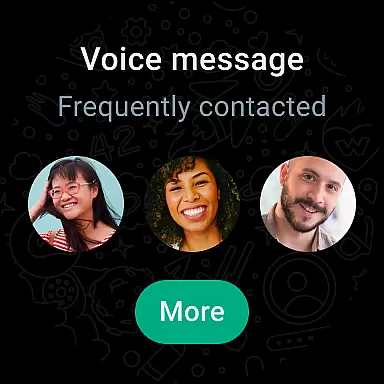
For Android Wear users, WhatsApp extends its functionality by enabling quick replies, call management, and voice messaging directly from smartwatches. Integration with Wear OS streamlines multitasking, allowing users to stay connected without needing their phones nearby.
Companion app integration is essential for a seamless user experience across multiple devices. WhatsApp Messenger excels in this area by allowing users to synchronize their conversations between mobile and desktop effortlessly. This ensures that you never miss an important message, regardless of the device you are using.
The integration works by linking your smartphone app with the desktop version through a QR code scan. Once connected, all your chats, media, and messages become accessible on both platforms. This feature is particularly beneficial for professionals who need to stay connected while working from different locations or devices.
WhatsApp's companion app functionality extends to Wear OS as well. Users can receive notifications, view messages, and even respond directly from their smartwatches. This level of connectivity enhances productivity and convenience, making it easier than ever to manage communications on the go.
Overall, WhatsApp provides a robust companion app integration that prioritizes user accessibility and cross-device functionality. By ensuring that all your devices work in harmony, WhatsApp makes it simple to maintain consistent communication channels wherever you are.
Wear OS compatibility is crucial for users who want to stay connected without constantly checking their phones. WhatsApp Messenger offers excellent support for Wear OS devices, enabling users to continue conversations, reply to messages, and take calls directly from their wrists. This compatibility significantly enhances the convenience and accessibility of communication.
With Wear OS, WhatsApp leverages tiles and complications to provide quick access to chats and voice messages. These features allow users to interact with the app more intuitively, streamlining the process of staying in touch. Whether you're in a meeting or exercising, you can easily send a voice note or read a message without needing to pull out your phone.
Moreover, the Wear OS integration includes notification settings tailored specifically for wearable devices. Users can customize how they receive alerts, ensuring minimal disruption while still being aware of incoming messages. This flexibility caters to various user preferences and lifestyles, enhancing overall satisfaction with the app.
In summary, WhatsApp's Wear OS/device compatibility ensures that users remain connected in a fast-paced world. By offering intuitive controls and customizable options, WhatsApp delivers a superior wearable experience that complements its mobile counterpart seamlessly.
End-to-end encryption
Cross-platform compatibility
Free voice and video calls
User-friendly interface
Global user base
Limited customization options
No built-in GIF search
Heavy battery usage
Status posts disappear after 24 hours
Requires constant internet connection

A customizable Christmas watch face for Wear OS with a countdown.
 4.20
4.20
Precision analog watch face with 7 complications and style options
4.2
A Wintery Snow Globe on Your Wrist; now celebrating Christmas!
4.3
Your second brain for organizing your life: to-do, calendar, reminder.
4.70
Stay in touch with your friends and family using LINE!
3.40
Funny animated watch face for Thanksgiving
4.3
Minimalistic design modern digital watch face.
4.4
Hyper-Realistic Airplane Dashboard Watch Face With 10 Skins and Custom AOD
4.00
Viewer for Wyze/Yi/Eufy/Arlo/ONVIF/RTSP/P2P IP cams w/ adv. features & DIY DVR
4.00
Hyperlocal rain alerts by MyRadar using patent-pending technology, radar & more
4.80
Gym & home workout plans with strength training, exercise tracking, HIIT & more.
4.60
Current temperature, weather hourly, weather radar by the weather forecast app
4.40
Premium hybrid watch face with many customizations for Wear OS devices.
4.40
sleep, alarm, snoring, stress, healing, focus, sound therapy, circadian rhythm
4.10
Animated Watch Face and Customizable with 24 Backgrounds. Perfect for Christmas!
3.90
Your local weather forecast, storm tracker, radar maps & live weather news
3.40
an Analog Watch Face for winter season with freeze winter background for Wear OS
4.3
Stylish digital watch face for Wear OS devices with customizable features
4.5
Fitness interactive virtual pet super fighter boy watch face
4.1


User Reviews