
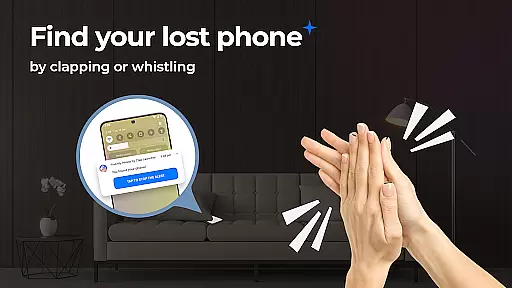
Find My Phone by Clap Launcher is a powerful tool designed to help users locate their misplaced devices with ease. The app utilizes sound recognition technology, responding to claps or whistles by triggering alerts that include loud ringtones, bright flashing lights, and vibrations.
This launcher app not only helps you find your phone but also enhances your home screen with useful features like one-swipe access, customizable widgets, and beautiful themed wallpapers. Its intuitive interface ensures a seamless user experience while maintaining battery efficiency.
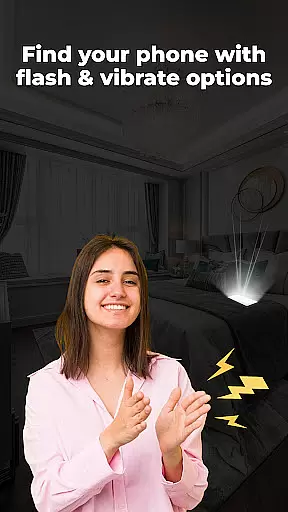
One of the standout features of Find My Phone by Clap Launcher is its multi-alert system. When activated by a clap or whistle, the app triggers a combination of loud sounds, vibrations, and bright flashes, making it easy to locate your phone even in noisy or dark environments.
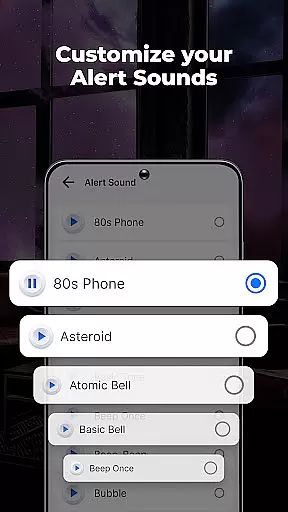
The app offers customizable alert settings, allowing users to choose from various attention-grabbing sounds and adjust the volume and duration of alerts. Additionally, its battery-friendly design ensures minimal power consumption, providing peace of mind for users throughout the day.
Find My Phone by Clap Launcher excels in its core functionality, which is helping users locate their misplaced devices quickly and efficiently. The app employs advanced sound recognition technology that listens for specific triggers like claps or whistles. Once the trigger sound is detected, the app activates a multi-alert system that combines loud ringtones, bright flashing lights, and vibrations to make the phone easily noticeable.
The effectiveness of this tool lies in its ability to work under various conditions. Whether your phone is hidden under pillows, fallen behind furniture, or tucked away in a dark corner, the app ensures you can find it with ease. The bright flash feature is particularly useful in low-light environments, while the customizable alert sounds cater to personal preferences and different home environments.
Users benefit from the app's battery-efficient design, which allows it to run in the background without significantly draining the phone's battery. This optimization ensures that the app is always ready to respond when needed, providing peace of mind to those who frequently misplace their phones. With Find My Phone by Clap Launcher, locating a lost device becomes a seamless and reliable process.
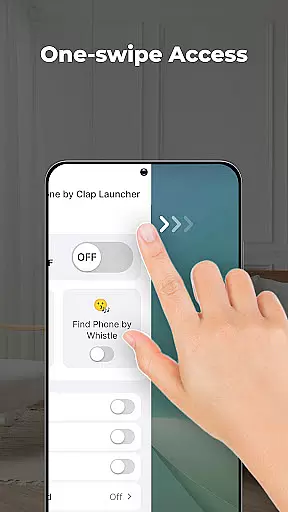
The interface of Find My Phone by Clap Launcher is designed to offer a user-friendly experience through its simplicity and intuitiveness. Upon installation, users will notice a change in their home screen layout, but all apps remain accessible, just possibly relocated. The launcher provides one-swipe access to activate the clap or whistle detection feature, making it incredibly easy to use in moments of urgency.
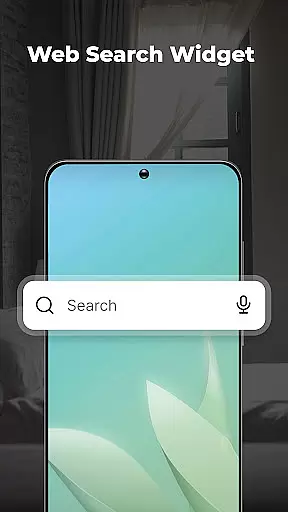
In addition to the straightforward activation, the app includes a home screen widget that displays essential information such as time and weather, enhancing daily convenience. Users can also personalize their screens with a selection of beautiful themed wallpapers, adding a touch of individuality to their devices.
Another intuitive feature is the home screen shortcut, which offers quick access to the phone finder functionality. This ensures that even those who are not tech-savvy can utilize the app's capabilities without hassle. Overall, Find My Phone by Clap Launcher combines essential tools with an easy-to-navigate interface, ensuring that users of all ages and technical backgrounds can benefit from its powerful features without a steep learning curve.
User-friendly interface
Multi-alert system
Customizable alerts
Battery efficient
Versatile compatibility
Home screen layout changes
Requires sound activation
Limited to specific sounds
Potential background noise interference
Dependent on device support

Transfer Files, APK from Phone to Watch & Install.
 4.5
4.5
Connect instantly to a fast, encrypted VPN with one tap
4.60
Fast Video Downloader, Movie Downloader, Torrent Downloader & Adblock Browser
4.70
The ultimate tool for network analysis, wifi scanning and problem detection.
4.90
Create your own custom widget with endless possibilities
3.90
Pro Emulator is an easy to use game console emulator for a range of consoles.
4.40
Automate everything from settings to photos, SMS to speech. ADC2 prize winner.
4.10
Button mapper, mouse toggle, sleep timer and a lot of another features
4.50
Clean up your phone, find files, play media, and share files offline
4.50
Change your GPS location instantly. Simulate routes anywhere in the world.
4.90
Navigate with Ease and Style
4.90
Bedrock Together: Join any bedrock server on Xbox/PS
4.80
Universal TV remote control all TVs, Roku, LG, Samsung, Fire, Vizio, Sony, TCL.
4.40
Forza Tuning Calculator App for Forza Horizon 5, Motorsport and Earlier Titles
4.40
PC precision for mobile gaming: dominate with keyboard and mouse!
4.30
MS-DOS in your pocket. Play old DOS games anywhere you are ;)
4.10
Safely recover deleted photos, videos, and files with a single easy tap.
3.70
Clean the junk files on your device
3.40
Save any video in HD - paste the link, download fast and watch offline.
4.0


User Reviews