
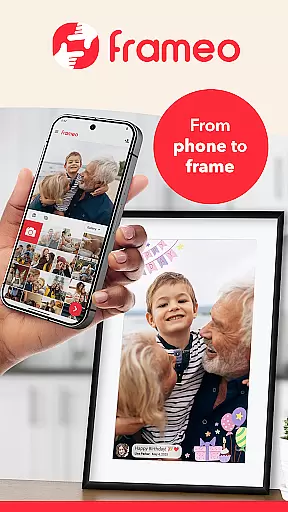
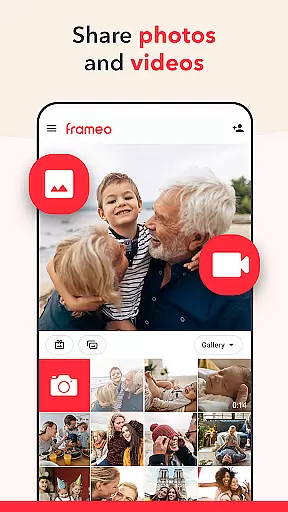
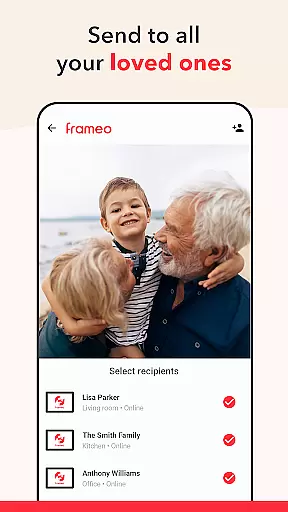


Frameo is a dedicated photography app designed to seamlessly share photos and videos with loved ones through WiFi digital photo frames. The app allows users to instantly send media from their smartphones to connected Frameo frames, ensuring moments are shared in real-time no matter where you are.
With features like end-to-end encryption, users can confidently send photos and videos knowing their data is secure. Additionally, the app supports sending multiple photos at once, adding captions, and even applying graphical themes for special occasions. Whether sharing vacation memories or enabling distant family members to stay connected, Frameo offers both free and premium (Frameo+) versions to cater to different user needs.
Frameo stands out with its specialized functionality tailored for digital frame users. It enables sending up to 10 photos or 15-second video clips at once, complete with customizable captions and themed graphical overlays for events like birthdays or holidays. Its notification system alerts users when frame owners interact with their content.
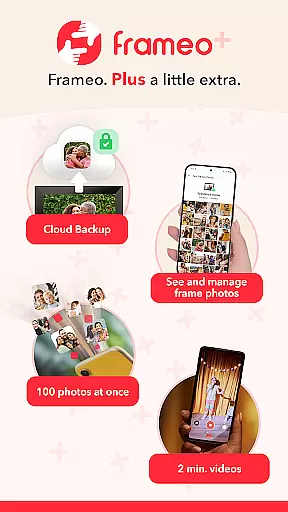
For those opting into Frameo+, enhanced capabilities include managing frame content remotely, backing up media via cloud storage, and sending larger batches of photos or extended videos. Integration with Google Cast allows users to display frame photos on TVs, while client-side encryption ensures privacy. These features collectively create a robust ecosystem for sharing and preserving cherished memories.
Real-time capture and preview functionality is essential for ensuring that users can instantly see the photos or videos they wish to share. Frameo excels in this area by allowing users to send images and short video clips directly from their smartphones to connected digital photo frames.
The app ensures that media appears on the frame within seconds, providing an immediate and seamless sharing experience. This real-time capability allows users to share moments as they happen, making it ideal for keeping loved ones updated with important events or daily life.
Frameo also supports adding captions and graphical themes to photos or videos, enhancing the storytelling aspect of each shared moment. With instant notifications when frame owners like the photos, users receive real-time engagement feedback, further enriching the sharing experience.
This immediacy not only enhances user satisfaction but also encourages more frequent use of the app, knowing that their shared content will be viewed and appreciated without delay.
While Frameo does not explicitly market itself as having AI beauty and enhancement features, its ability to add fitting captions and graphical themes to photos and videos serves a similar purpose of enhancing visual content. These enhancements make shared moments more engaging and personalized.
Users can choose from various greetings and themes tailored to specific occasions such as birthdays, holidays, or other special events. This feature adds a layer of creativity and thoughtfulness to each shared item, making the viewing experience more enjoyable for friends and family.
Additionally, the app's support for sending 15-second video clips and, with Frameo+, up to 2-minute videos, provides ample opportunity to capture dynamic moments. The natural flow of these videos, combined with optional captions, creates a richer narrative than static images alone.
By focusing on meaningful enhancements rather than just aesthetic alterations, Frameo ensures that the authenticity of each moment is preserved while still offering tools to make memories stand out. This approach aligns with user expectations for genuine yet enhanced visual storytelling.
User-friendly interface
Secure end-to-end encryption
Instant global sharing
Customizable content options
Premium features enhance utility
Limited to Frameo frames
Subscription cost for Frameo+
Requires stable internet
Video length restrictions
Device compatibility limitations

Photo prints, cards, & gifts at Walgreens. Easy ordering & fast local pickup !
 4.80
4.80
Create collages easily! Nice pic collage maker & background eraser for Instagram
4.50
AI photo editor with hair editor, retouch tools, hair color changer & filters!
4.50
Transform photos into videos! Create realistic or anime-style images easily!
4.50
Photo Exif Editor allows to view, add and modify EXIF data of multiple photos
4.50
Professional photography on your mobile phone
4.20
Use AI Video Generator to turn your words to ai generated videos.
4.50
Unblur, enhance & restore photos with powerful AI photo enhancer tools.
4.60
Edit photos with the picture generator: PS2 & AI Clay filters, cartoon effects.
4.50
Cartoon and artistic effects for your photos and videos
4.70
1M influencer's special filter
4.60
Add Watermark - Sign your pictures with a text or logo. Effective, quick, easy!
4.50
Shooting photos and records video easily and efficient with professional Camera
4.30
The #1 app for B&W film developing featuring an advanced darkroom timer.
4.10
Photo editor: face & body editor, beauty cam, filters and quality enhancer.
4.00
USB Storage Access for Photos, Videos, Music and Documents
3.80
Be your best in every shot! Fix, edit and retouch your face in selfies & photos.
3.70
Long exposure camera with computational photography
2.60
Add a dreamy vibe to your selfies and videos with soft style filters
4.4


User Reviews