
Google Sheets is a powerful productivity app that allows users to create, edit, and collaborate on spreadsheets directly from their Android devices. The app offers a comprehensive set of features including real-time collaboration, offline access, and automatic saving. Whether you need to manage business data or track personal projects, Google Sheets provides the tools to efficiently organize and analyze information.
The app stands out with its seamless integration with other Google Workspace services and Excel compatibility. Its smart suggestions feature helps users quickly gain insights and apply professional formatting. With enterprise-grade security and AI-powered analytics, it's an ideal solution for both individual and team use in various work environments.
Google Sheets offers an impressive range of features designed to enhance productivity. The app supports real-time collaboration, allowing multiple users to work on the same document simultaneously. Its robust functionality includes advanced cell formatting options, formula creation, data sorting, and chart visualization capabilities.
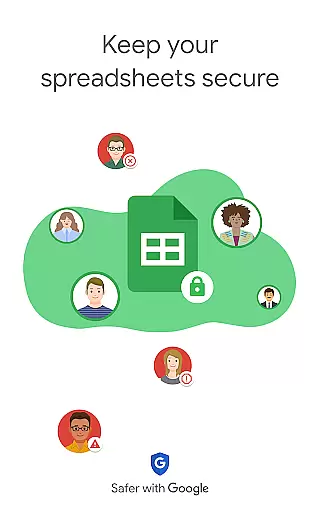
Notably, the app provides AI-powered smart suggestions that help users quickly generate charts and apply professional formatting. The offline mode ensures uninterrupted productivity, while its seamless integration with Excel files makes it versatile for different workflows. Additional features for Google Workspace subscribers include enhanced security controls and advanced analytics tools, making it suitable for enterprise-level applications.
Google Sheets revolutionizes core task management by offering a comprehensive suite of tools designed to streamline productivity. The app allows users to create, edit, and manage spreadsheets with ease, providing essential functionalities such as formatting cells, entering data, sorting information, and inserting formulas. These features ensure that users can efficiently organize their tasks and data in a structured manner.
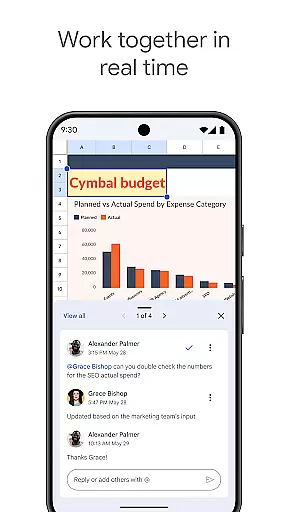
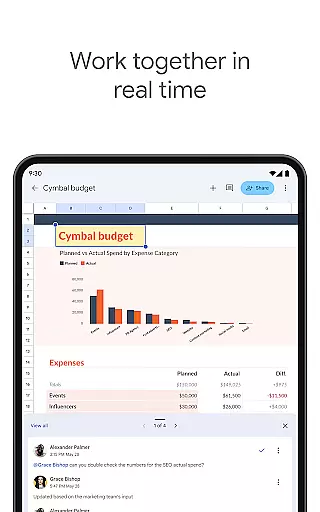
One of the standout aspects of Google Sheets is its real-time collaboration capabilities. Multiple users can work on the same spreadsheet simultaneously, making it an ideal tool for team projects. This collaborative environment enhances task management by allowing seamless communication and updates among team members. Additionally, the ability to add and respond to comments within the spreadsheet fosters clear and concise communication, ensuring everyone stays on the same page.
Another significant advantage of using Google Sheets for task management is its automatic saving feature. Users never have to worry about losing their work, as every change is saved instantly. This provides peace of mind and allows users to focus on their tasks without the constant need to save progress manually. Furthermore, smart suggestions help users quickly gain insights, insert charts, and apply formatting, thus enhancing productivity and efficiency.
Cross-device synchronization is a critical feature of Google Sheets, ensuring that users can access their spreadsheets from any device at any time. Whether you're using an Android phone, tablet, or computer, Google Sheets provides reliable synchronization that keeps all your devices updated with the latest changes. This seamless integration across platforms enhances user flexibility and ensures that important data is always at your fingertips.
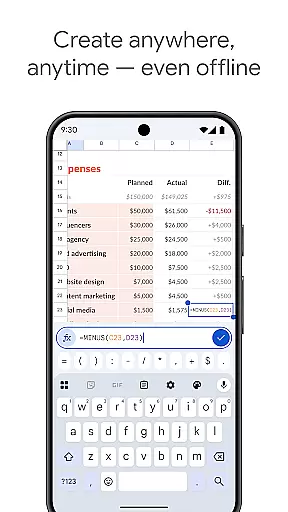
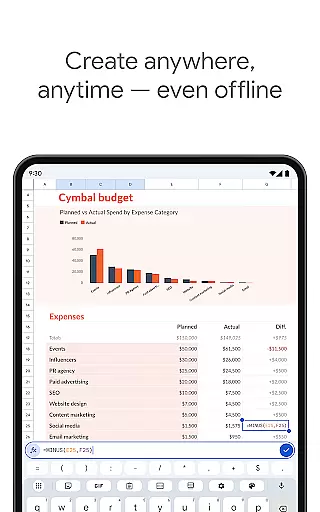
The reliability of cross-device synchronization in Google Sheets is further bolstered by its offline access capabilities. Users can create, view, and edit files even when they are not connected to the internet. Once connectivity is restored, all changes are automatically synced across devices. This feature is particularly beneficial for individuals who need to work on the go or in environments with limited internet access.
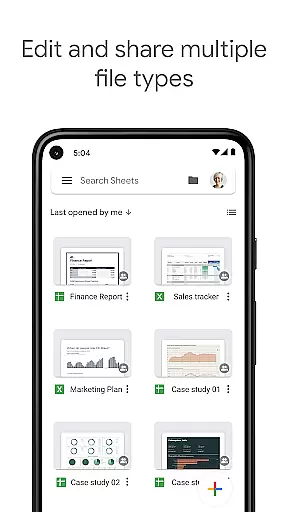
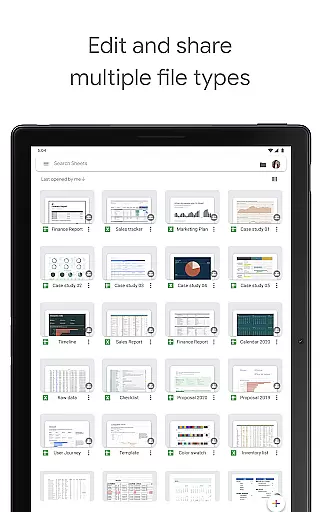
Google Sheets also supports interoperability with other popular productivity tools, such as Microsoft Excel. Users can open, edit, and save Excel files directly within Google Sheets, maintaining the integrity and format of their documents. This compatibility ensures that users can transition smoothly between different platforms without worrying about data loss or formatting issues. Overall, Google Sheets offers robust cross-device synchronization that empowers users to manage their tasks efficiently and effectively, regardless of their location or device.
User-friendly interface
Real-time collaboration
Automatic saving
Offline access
Excel compatibility
Limited advanced features
Requires internet
Ads in free version
Complex formulas
Learning curve

Take control of your clipboard with Clipper!
 3.90
3.90
Experience real multitasking on your Android!
4.00
Auto-shutoff Alarm with Sunrise, Sunset & Fixed Options.
3.50
Direct Chat without saving contacts & Dual WA Account on Single Device
4.70
Android Wallet Password Manager
4.80
We're working to become the best machining app on the market! www.cncdirt.com
4.80
⏰ Finally a timer app which can run multiple timers simultaneously on your watch
3.90
Browse and view your photos and videos from the phone with photo & video hide.
4.10
Note taking, handwriting, record audio, PDF annotation, planner & journal
4.20
Simple notepad & memo. Take notes, to-do list, shopping list with reminders.
4.80
Automates browsing any website and notifies you of important changes or events
4.30
Pwnagotchi companion app
4.20
Intelligent AI Assistant
4.10
Mega cloud explorer plugin for Solid Explorer
3.80
Remotely view listen control and record cameras.
3.70
Code on-the-go with VScode for Android. Edit,debug and collaborate from mobile!!
3.10
Easiest event planning, volunteer signups & parent teacher conference scheduling
2.20
Create study competitions, track your hours, and stay consistent with friends
4.4
IP Camera Viewer - Android TV : RTSP Surveillance camera viewer for Android TV
4.1


User Reviews