
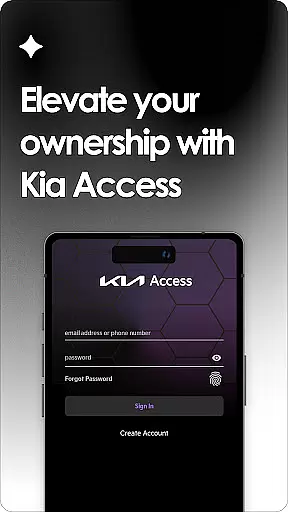
Kia Access is the official owner's app from Kia America, Inc., designed to provide seamless access to vehicle information and services. The app combines the benefits of the Kia Owner’s Portal with convenient features of Kia Connect, offering users essential tools right on their mobile devices.
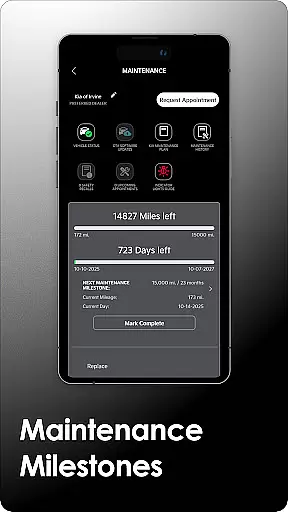
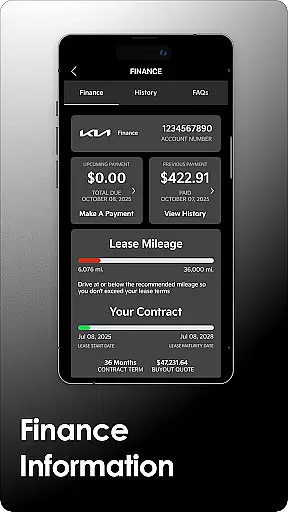
With Kia Access, users can view their vehicle's manual, track maintenance milestones, and manage finance details. For vehicles equipped with Kia Connect, additional remote features like locking/unlocking doors, climate control, and navigation interaction are available. Electric and hybrid models gain specialized functions such as battery status checks and charging schedules.
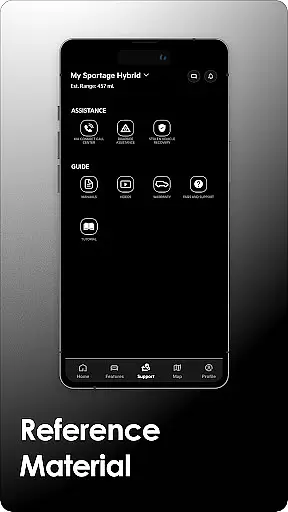
Kia Access offers a comprehensive suite of features tailored for Kia vehicle owners. Users can access important documents like the Owner’s Manual, quick guides, and warranty information directly through the app. It also provides payment tracking for those financing through Kia Motors Finance.
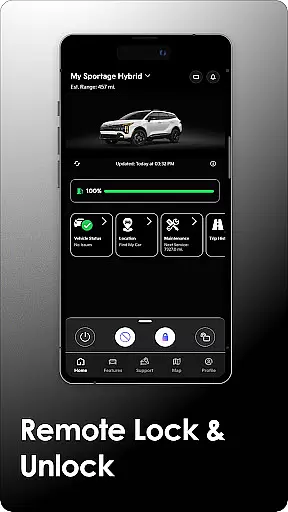
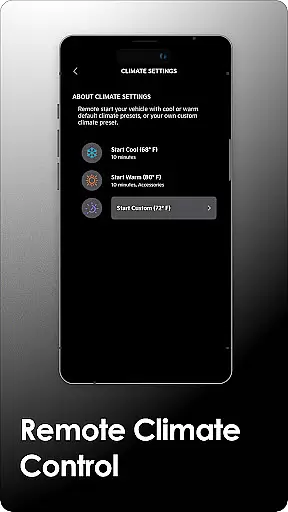
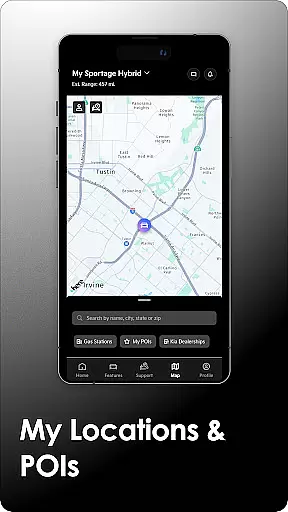
For Kia Connect-enabled vehicles, the app delivers advanced functionalities including remote commands such as locking/unlocking, horn and light activation, and climate control. Navigation features allow sending destinations directly to the car, while vehicle health reports keep owners informed about their car's condition. Plug-in hybrid and electric vehicles enjoy additional capabilities like locating charging stations and scheduling charge times.
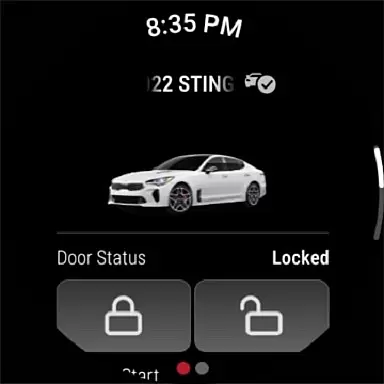
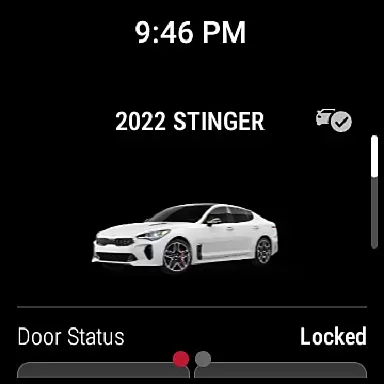
Companion app integration refers to the seamless connection between a primary application and its wearable counterpart. For Kia Access, this means users can enjoy all the essential features of their vehicle management system directly on their Wear OS devices.
The app ensures that key functionalities such as remote lock/unlock, vehicle location, and climate control are accessible on the go. This integration is particularly beneficial for users who want to manage their vehicles without needing to take out their phones.
By maintaining consistent data synchronization between the smartphone app and the wearable version, Kia Access provides real-time updates and control options. This allows users to receive instant notifications about their vehicle's status and take necessary actions promptly.
This level of integration enhances user convenience by offering a compact yet fully functional alternative to the main app, ensuring that critical vehicle information is always within reach, whether you're at home or on the move.
Wear OS/device compatibility ensures that an application functions optimally across various devices running Wear OS. Kia Access supports a wide range of Wear OS devices, allowing users to control their vehicles from their smartwatches seamlessly.
This compatibility is crucial because it guarantees that regardless of the specific model of your Wear OS device, you will experience smooth performance and reliable connectivity with Kia Access. The app is designed to adapt to different screen sizes and hardware capabilities.
Users benefit from this compatibility through an intuitive interface tailored for smaller screens, making interactions straightforward and efficient. Essential features like locating your car, checking battery status, and managing climate controls are easily accessible.
By prioritizing broad device compatibility, Kia Access ensures that more users can take advantage of its advanced functionalities without worrying about technical limitations or inconsistencies in performance across different devices.
User-friendly interface
Comprehensive vehicle management
Remote access features
Specialized EV functions
Convenient maintenance tracking
Limited to Kia vehicles
Subscription required
Feature restrictions by model
Dependent on cellular coverage
Not available in all regions

Calming & relaxing sounds for sleeping and stress relief. Stay focused all day!
 4.20
4.20
Highly customizable hybrid watch face for Wear OS, perfect for everyday use.
4.60
Watch face designed for Thanksgiving Day. 7 Background Styles included.
3.20
Find EV charging stations
4.30
To-Do List: daily schedule planner, task organizer, to do reminder app, calendar
4.60
A digital watch face that celebrates Christmas.
4.00
A realistic hybrid watch face with many customization options.
4.60
From periods to pregnancy & perimenopause, Flo helps you track it all. Try now.
4.70
Download full tracks, listen to music offline, make unlimited playlists.
4.80
Nutrition, Macro tracker: Food, fitness & healthy diet tracking for weight loss
4.60
Simple, helpful messaging by Google
4.60
Connect to your Bluelink equipped Hyundai vehicle from your smartphone.
4.50
Current temperature, weather hourly, weather radar by the weather forecast app
4.40
Christmas watch face. For Wear OS devices.
4.30
Viewer for Wyze/Yi/Eufy/Arlo/ONVIF/RTSP/P2P IP cams w/ adv. features & DIY DVR
4.00
Your local weather forecast, storm tracker, radar maps & live weather news
3.40
Wear Os Watch Face - Animated Snow - Sesonal for Christmas & Winter
4.5
Sleek, highly customizable watch face inspired by Galaxy Watch Circle Dashboard.
4.1
Fitness interactive virtual pet super fighter boy watch face
4.2


User Reviews