
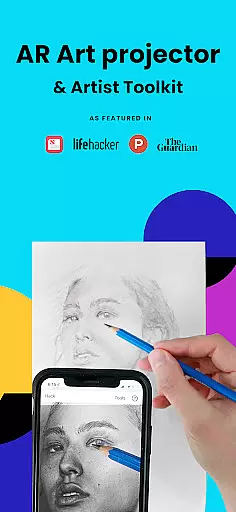
Da Vinci Eye's AR Art Projector is a revolutionary tool designed for artists of all skill levels. This app combines augmented reality technology with traditional drawing techniques, allowing users to project images onto any surface for tracing and sketching. With features like color layer separation, step-by-step image breakdowns, and time-lapse recording, it offers a comprehensive digital art solution.
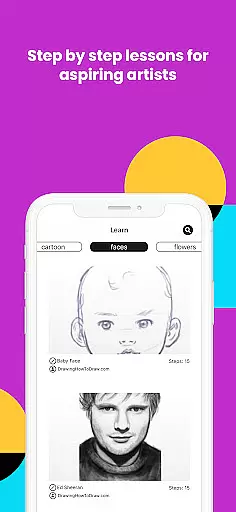
The application caters to various creative professionals including illustrators, tattoo artists, and animators. Its unique learning method incorporates video tutorials and patented shading lessons that help users master proportions, light, and shadow placement. The app's AR mode works best on newer devices with high-quality cameras and fast processors, ensuring smooth performance during intensive art projects.
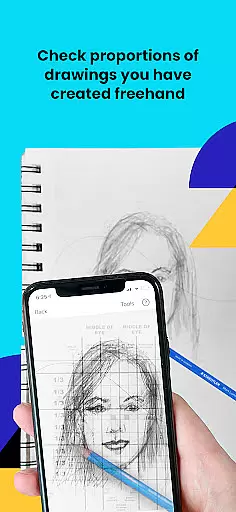
Whether you're a professional artist or hobbyist, Da Vinci Eye enhances your drawing capabilities by providing precise layout tools before you begin your artwork. The supportive community feature allows sharing and feedback, making it an essential tool for artistic growth and development.
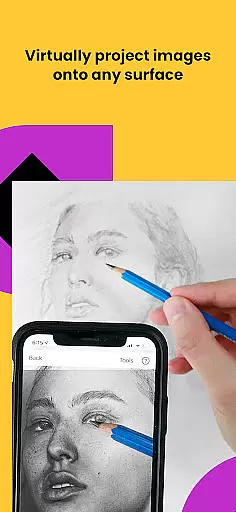
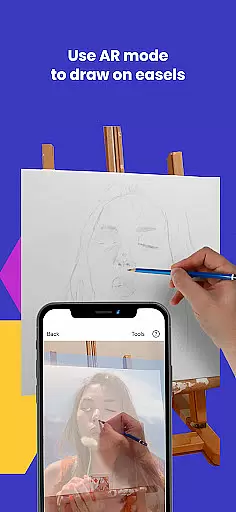
Da Vinci Eye stands out with its innovative AR tracing technology that functions as a digital Camera Lucida. Users can suspend their device above the canvas using everyday objects, viewing both the reference image and drawing surface simultaneously. This creates an experience similar to using an art projector but with enhanced flexibility and functionality.
The app includes advanced features such as strobe effects for hyper-realistic drawings, zoom capability for capturing micro-details, and filters that simplify the drawing process. These tools work together to create incredibly accurate sketches while maintaining creative freedom. Additionally, the app provides thousands of creatives with resources to produce remarkable artwork efficiently.
What sets Da Vinci Eye apart is its dual-mode functionality. While AR mode anchors images to real-world objects allowing movement without losing alignment, Classic mode offers traditional projection methods. Both modes support various artistic styles and preferences, making this app adaptable to different workflows and environments.
In the realm of digital artistry, having access to comprehensive creative tools is paramount. AR Art Projector offers an extensive suite of features that cater to artists across various disciplines. The app includes functionalities such as creating detailed drawings and sketches from photos, utilizing a strobe feature for hyper-realistic results, and recording time-lapse videos of artistic processes.
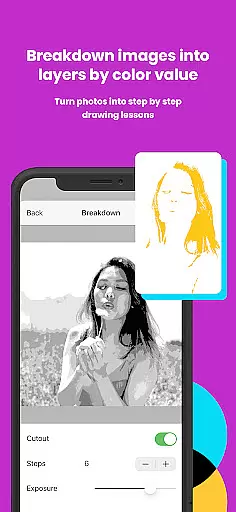
Furthermore, it allows users to dissect images into layers based on color values, providing a nuanced approach to understanding light and shadow placement. This segmentation aids artists in accurately pinpointing areas for darks, mid-tones, and highlights within their work. Additionally, the inclusion of video tutorials ensures that users can learn sketching and drawing techniques effectively.
The application extends its utility beyond mere tracing by fostering a community where artwork can be shared and critiqued. Such an environment not only enhances individual skills but also contributes to a collective growth among artists. With support for a wide array of creative professionals, including bakers, tattoo artists, illustrators, and animators, AR Art Projector stands out as an indispensable asset in the modern artist's toolkit.
Flexibility in canvas and format options is crucial for artists seeking to express their creativity without technical limitations. AR Art Projector excels in this area by enabling users to draw on any surface using augmented reality technology. By suspending their device above or in front of a canvas with a stand or improvised support, artists can view both the reference image and their work simultaneously, akin to using an art projector or lightbox but with enhanced capabilities.
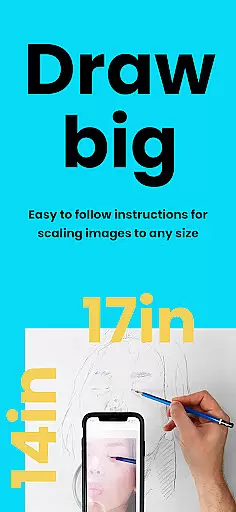
This app supports micro-detailing through zoom functionality, allowing artists to capture intricate elements in their drawings with precision. Whether working on small-scale projects like nail art or larger pieces such as murals, the adaptability of AR Art Projector ensures that every detail is accounted for. Moreover, its compatibility with different drawing modesu2014AR Tracing Mode and Classic Drawing Modeu2014provides versatility depending on user preference and project requirements.
For those who require mobility while they work, AR Tracing Mode anchors the image to real-world objects, maintaining alignment even when moving around the workspace. Meanwhile, Classic Mode offers stability akin to traditional methods but may suit more static setups better. Regardless of chosen mode, AR Art Projector empowers artists with unparalleled freedom and control over their creative process.
User-friendly interface
Innovative AR features
Comprehensive learning tools
Active artist community
Excellent customer support
Device compatibility issues
Subscription fees required
Learning curve for beginners
Limited offline functionality
Occasional rendering glitches

Art of Combination Wear OS Watch faces (for Wear OS 5+ devices)
 3.00
3.00
Logo Generator powered by AI: Create stunning logos effortlessly!
4.70
Photo blender app to create overlay photos & double exposure.
4.40
Draw beautiful mandala's very easily
4.60
Unleash Your Creativity with Draw Cartoon - AR Drawing App
4.10
Draw anime easily with AR guidance, sketch templates & trace tools!
3.10
Inky runs Inkscape on Android devices and Chromebooks
2.90
Beauty Camera - Selfie Camera is the ultimate beauty camera and selfie app
4.30
Draw, make movies & animate cartoons easily with our 2D animation maker app
4.40
Create stunning art with AI.
4.80
Minecraft & Roblox Clothes
4.70
The ultimate tool for creating animations
4.60
Castle is social media for creating and playing games!
4.60
Draw, fidget, and spin glow art! Relax and express your creativity with a finger
4.60
Create neon drawing with magic doodle and fun doodle art effects!
4.50
Unleash your drawing and painting potential
4.50
Trace, draw, and create art with AR - from memes to masterpieces!
4.30
800+ Drawing, Painting Lessons App to Practice, Sketch & Paint Art.
4.30
Floor Plan Creator lets you create, edit and share floor plans.
4.00


User Reviews