
Goblin Tools is a productivity app designed to simplify everyday tasks through a collection of small, intuitive tools. Tailored especially for neurodivergent individuals, it offers solutions for challenges faced by those with ADHD, autism, and executive dysfunction. The app provides clever utilities like task breakdowns, tone adjustment for texts, mood sensing, and more, making life's complications feel manageable.
With features such as Magic ToDo, Formalizer, Judge, Professor, Consultant, Estimator, Compiler, and Chef, Goblin Tools supports users in organizing thoughts, communicating effectively, and even cooking meals from available ingredients. This app is handy for everyone but shines for those navigating neurodivergent experiences, ensuring an ad-free and supportive environment.
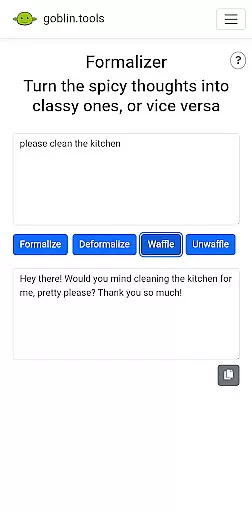
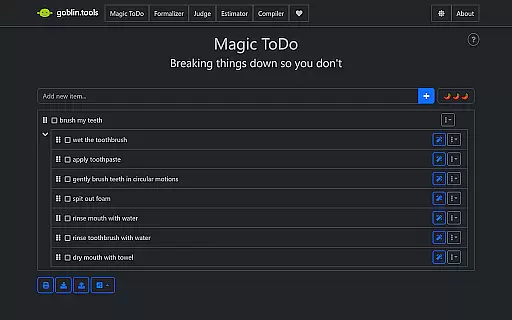
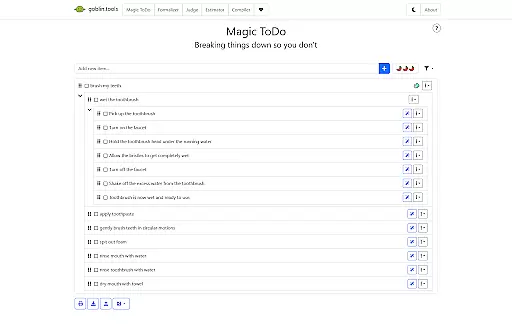
Goblin Tools stands out with its diverse range of features crafted to assist with various daily activities. Magic ToDo helps break down tasks into manageable steps, while Formalizer adjusts the tone of your messages for better communication. The Judge feature allows users to sense the emotion behind texts, enhancing interpersonal interactions.
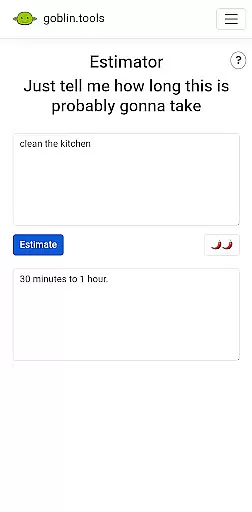
Professor simplifies complex information for any age group, and Consultant aids in decision-making processes. Estimator provides rough time estimates for activities, Compiler organizes thoughts into actionable items, and Chef creates recipes from on-hand ingredients. Each tool is designed to empower users, particularly those who are neurodivergent, by offering practical solutions that untangle complicated scenarios.
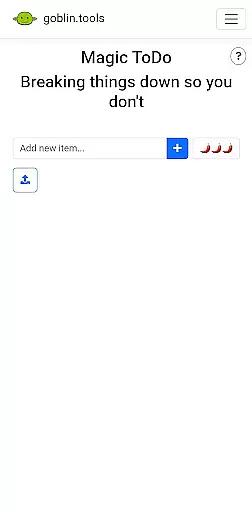
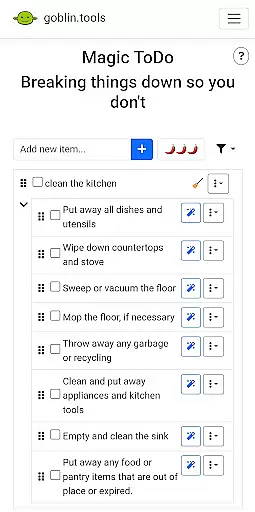
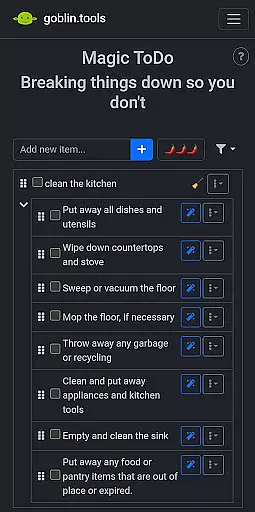
At the heart of Goblin Tools lies its robust core task management system, designed to simplify your life. This feature is crucial for anyone who finds themselves overwhelmed by large or complex tasks. With Magic ToDo, users can effortlessly break down any daunting task into manageable steps.
The app's approach to task management is particularly beneficial for neurodivergent individuals, including those with ADHD or autism. By offering bite-sized steps, it aids in overcoming executive dysfunction, making daily challenges less intimidating and more achievable.
Users will appreciate how this system seamlessly integrates with other tools within the app, enhancing productivity without adding complexity. Whether you're organizing your thoughts or planning your day, Goblin Tools ensures that each task is straightforward and attainable, promoting a stress-free experience.
Goblin Tools excels in providing reliable cross-device synchronization, ensuring that your data remains consistent across all your devices. This functionality is vital for users who switch between their phone, tablet, and computer throughout the day. The app guarantees real-time updates, so you never miss a beat.
This seamless synchronization is especially helpful for managing everyday responsibilities, from creating to-do lists on your phone to editing documents on your laptop. It supports neurodivergent users by maintaining continuity in their workflow, regardless of the device they choose to use at any given moment.
By prioritizing synchronization reliability, Goblin Tools ensures that every action taken on one device is instantly reflected on others. This not only boosts productivity but also provides peace of mind, knowing that your information is always up-to-date and accessible wherever you go.
User-friendly interface
Innovative task breakdown
Tailored for neurodivergence
Effective communication aids
Versatile recipe generator
Limited advanced features
No offline functionality
Requires constant updates
Small user community
Premium version costly

Unlock AutoNotification
 4.00
4.00
All in one sketching tool. Technical and General drawing. Online Maps support.
3.70
Easily read and manage all your PDF files
4.10
Make your handwriting beautiful, even more than pen on paper.
3.60
Remotely view listen control and record cameras.
3.70
PDF scanner & converter for files, photos, lottery, QR codes. One swipe away!
4.50
Simple and reliable communication between inmates, friends and family
3.20
Daily processing of PDF documents.
4.40
QuickEdit is a fast, stable and full featured text and code editor.
4.20
QuickBooks Workforce lets teams view pay info and track time in one place.
4.70
App Lock with fingerprint, password: Lock apps & hide photos with lock screens
4.60
Stay on top of your to-dos with Google Tasks, part of Google Workspace.
4.60
The AI assistant that thinks with you - write, code, and solve complex tasks
4.60
Enjoy classic gameplay with customizable features and retro-style graphics.
4.30
All in One PDF Reader: Manage, Read and Edit your Documents
4.20
Customizable calendar widget for seamless event sync, planning & scheduling.
4.00
Secure, open-source, SPICE and SSH Remote Desktop for QEMU KVM virtual machines
4.00
* block pre-roll ads, pop-up and forced redirect ads * Samsung certification app
4.00
A simple, portable logger for POTA, SOTA, Field Day, and more
4.0


User Reviews