
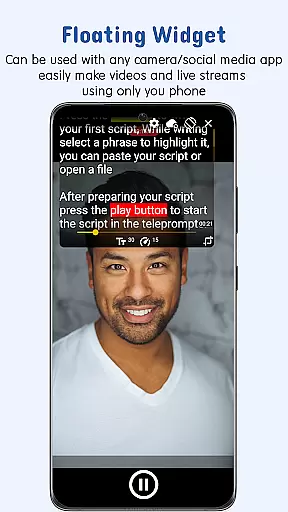
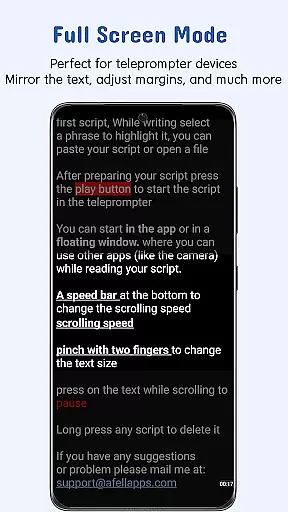
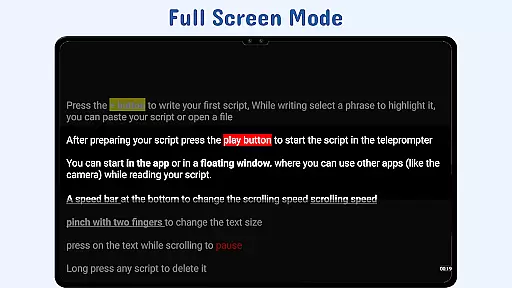
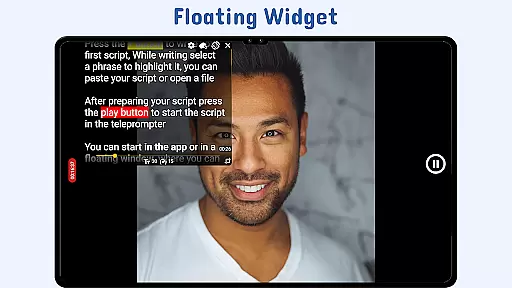
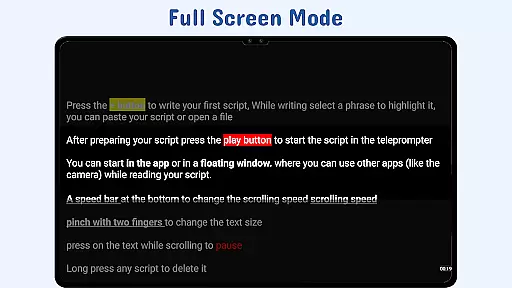
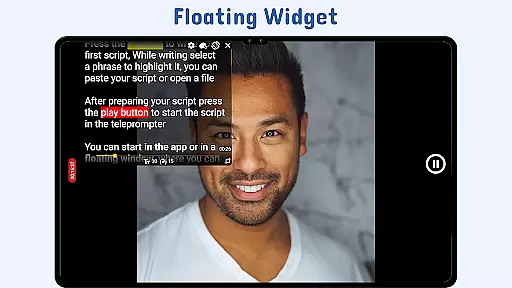
Nano Teleprompter is a versatile productivity tool designed to streamline speech delivery and video recording tasks. The app features a floating teleprompter widget that works seamlessly with any camera application, allowing users to record in both landscape and portrait modes while maintaining full control over their scripts. Its intuitive interface supports real-time Google Drive synchronization, enabling effortless script management across multiple devices.
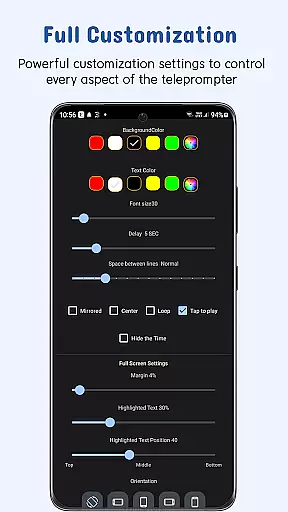
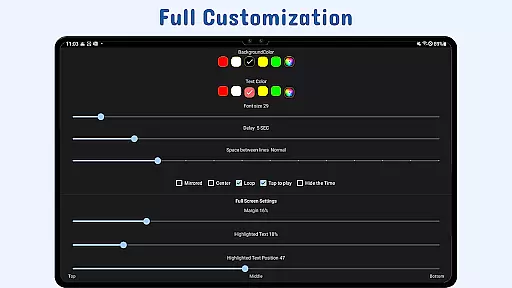
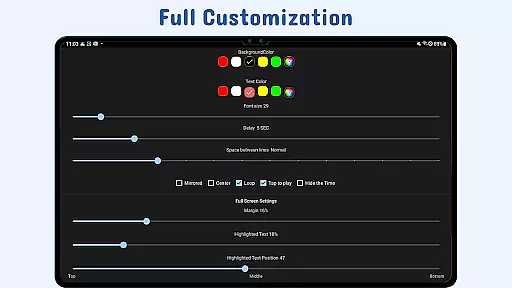
With customizable text settings, gesture controls, and remote support, Nano Teleprompter caters to various professional needs. Users can adjust text size, color, background opacity, and scrolling speed to suit their preferences. The app's ability to import files directly from Google Drive or local storage makes it an ideal solution for content creators, public speakers, and educators who require efficient script management during recordings or live presentations.
Nano Teleprompter stands out with its comprehensive feature set tailored for productivity-focused users. The app's floating widget technology allows users to overlay their scripts on top of any camera application, providing unparalleled flexibility during recordings. This feature, combined with customizable text formatting options including size, color, and background adjustments, ensures optimal readability regardless of environmental conditions.
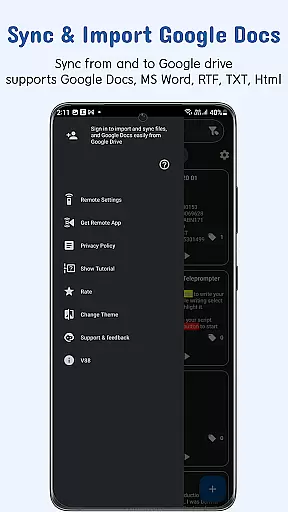
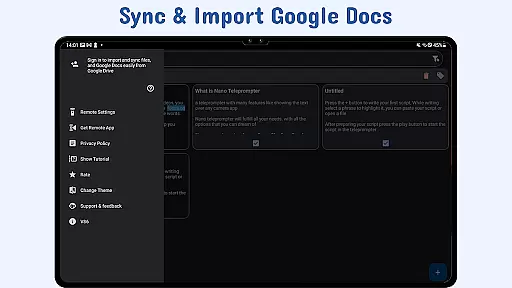
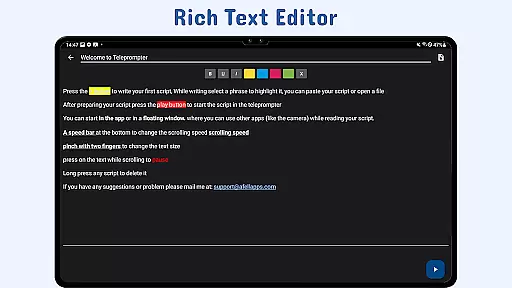
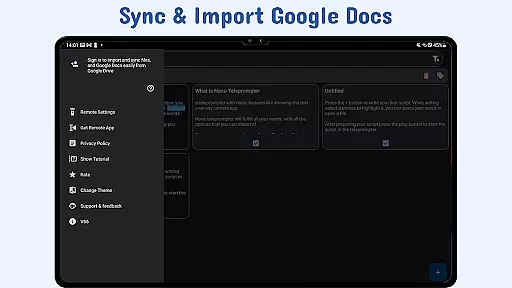
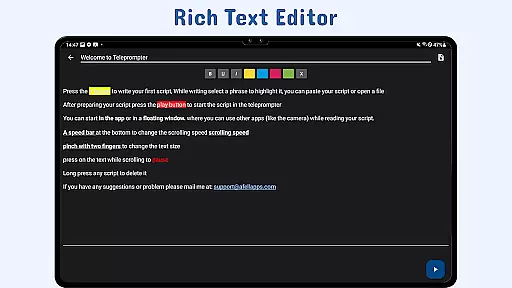
The application's integration with Google Drive revolutionizes script management by enabling automatic updates and cloud backups. Users can create and edit documents using Google Docs or other supported formats (MS Word, RTF, TXT, HTML) and have them instantly sync with the app. Additional features like gesture controls, adjustable scroll delay, and remote control support enhance the user experience by providing hands-free operation and precise control over script navigation during critical presentations or recordings.
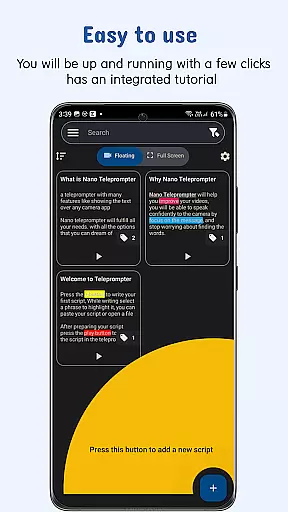
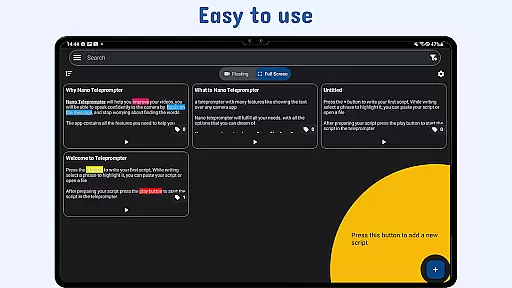
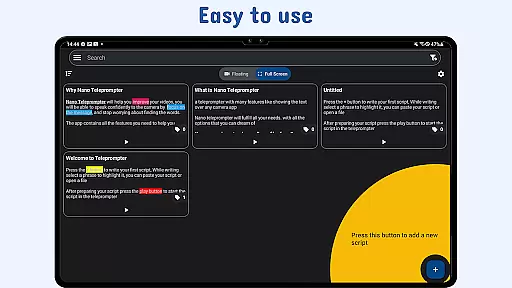
Task management is a critical aspect of productivity applications, and Nano Teleprompter excels in this area by offering users an intuitive way to handle their scripts. The app's seamless integration with Google Drive allows for real-time updates, ensuring that any changes made to your documents are immediately reflected within the app.
The ability to create, edit, and manage scripts directly from Google Drive simplifies the workflow significantly. Users can drag and drop files or write directly in the browser, making script management efficient and straightforward. This feature not only saves time but also enhances collaboration possibilities as team members can work on the same document simultaneously.
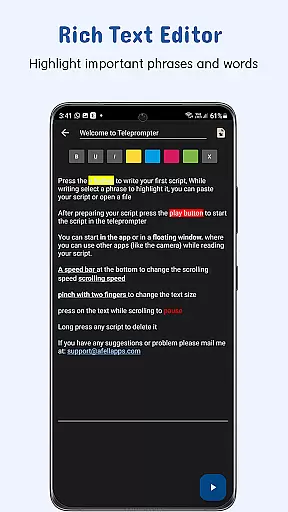
Nano Teleprompter goes beyond basic script handling by providing customizable text options. Adjustments such as text size, color, background opacity, margins, and line spacing contribute to better readability during use. These customization features ensure that each user can tailor their experience according to personal preferences or specific project requirements.
With its focus on task management through integrated cloud services and customizable display settings, Nano Teleprompter empowers users to maintain control over their content while delivering speeches or recording videos. Such capabilities make it an indispensable tool for anyone looking to streamline their teleprompting process without sacrificing quality or flexibility.
Cross-device synchronization is a standout feature of Nano Teleprompter, ensuring that users have reliable access to their scripts across multiple devices. By leveraging Google Drive's cloud storage, the app provides a seamless experience where any updates made to your documents are automatically synced and available wherever you go.
This level of synchronization reliability means that whether you're editing a script on your PC or making last-minute adjustments on your mobile device, the changes will be reflected instantly. Such consistency is crucial for professionals who need to switch between devices frequently without worrying about version control or data loss.
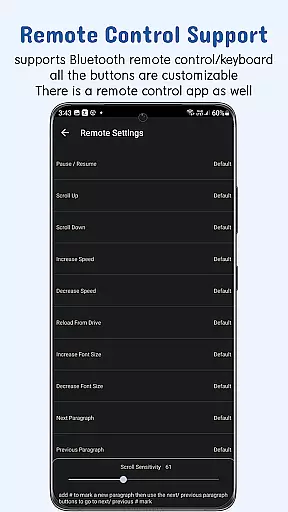
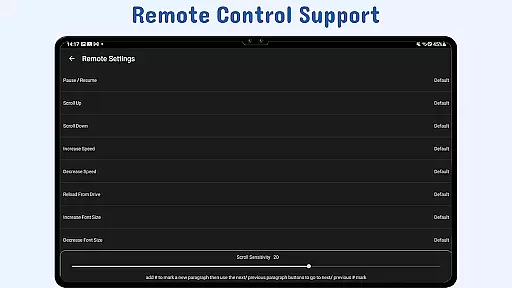
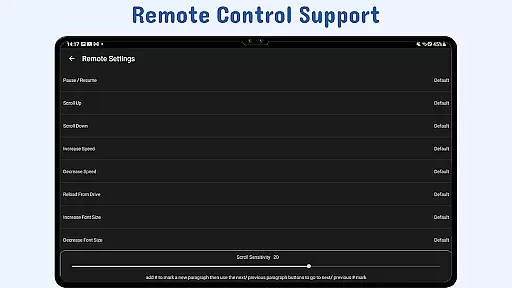
In addition to syncing capabilities, Nano Teleprompter offers remote control support which enhances the cross-device experience. Users can customize remote buttons to pause, resume, scroll, adjust speed, and navigate their script hands-free. This functionality ensures smooth operation regardless of the device being used at any given moment.
By prioritizing cross-device synchronization reliability alongside robust remote control options, Nano Teleprompter guarantees that users can focus on delivering their best performance without technical interruptions. Itu2019s this commitment to accessibility and convenience that makes Nano Teleprompter an ideal choice for modern content creators and public speakers alike.
User-friendly interface
Real-time cloud syncing
Customizable text options
Remote control support
Cross-device compatibility
Limited offline functionality
Premium features locked
Occasional sync delays
Interface complexity
Device compatibility issues

A Revolutionary All-in-One Artificial Intelligence Tools
 3.80
3.80
Automates browsing any website and notifies you of important changes or events
4.30
Protect and view your important info on your phone and tablet with eWallet®
4.80
Make your handwriting beautiful, even more than pen on paper.
3.60
IP Camera Viewer - Android TV : RTSP Surveillance camera viewer for Android TV
4.1
ID.me Authenticator is a simple and free Two Factor Authentication solution
3.50
Calendar 2023 widget for Android. Appointment scheduler, planner, and reminder
4.60
Use powerful, industry-leading AI tools to generate visual charts from any data
4.80
Daily processing of PDF documents.
4.40
Seamlessly integrate data and reports to build your presentation to impress
4.80
Mind Map and brainstorm, note taking and idea collection
4.80
We're working to become the best machining app on the market! www.cncdirt.com
4.80
aCalendar+ makes your day, week and month
4.70
App Lock with fingerprint, password: Lock apps & hide photos with lock screens
4.60
Send files, sync SMS, notifications & clipboard across devices via local network
4.40
* block pre-roll ads, pop-up and forced redirect ads * Samsung certification app
4.00
Take control of your clipboard with Clipper!
3.90
Code on-the-go with VScode for Android. Edit,debug and collaborate from mobile!!
3.10
Create study competitions, track your hours, and stay consistent with friends
4.5


User Reviews