
QuickBend is a highly specialized conduit bending calculator app designed for electricians and professionals working with conduit systems. The app provides precise measurements by incorporating the radius of the shoe and bender, conduit type, and size diameter into its calculations. Using the centerline radius algorithm, QuickBend ensures accuracy in every measurement, making it an essential tool for both seasoned professionals and DIY enthusiasts.
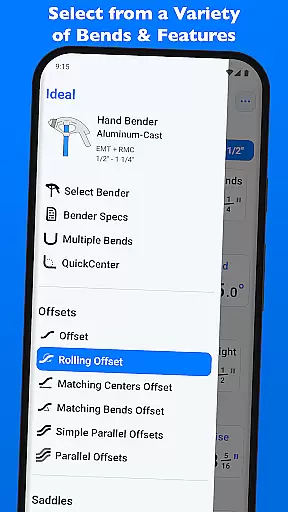
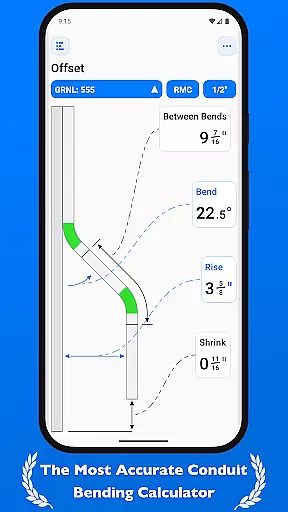
Beyond basic calculations, QuickBend offers advanced features such as QuickCheck, which visually indicates potential issues with bends through color-coded text. This intuitive design helps users avoid costly mistakes while saving time. With support for various types of bends including Offset, Rolling Offset, and Compound 90° bends, QuickBend covers nearly every possible scenario encountered in electrical work.
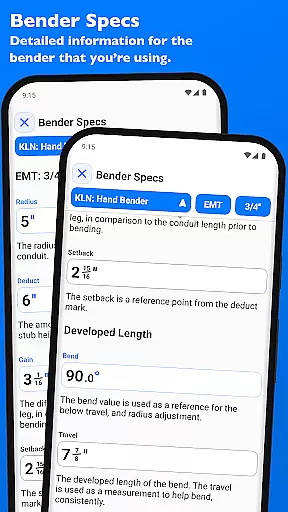
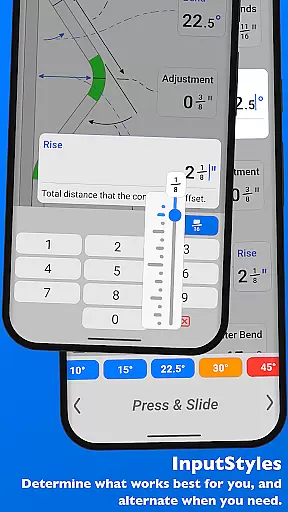
The app's interface allows seamless switching between different input methods like number pads or slider bars, catering to individual preferences. Users can toggle between inches and centimeters, ensuring compatibility across global standards. Whether laying out multiple bends on a single conduit or editing detailed bender specifications, QuickBend delivers unmatched productivity and precision for anyone involved in electrical installations.
QuickBend stands out due to its comprehensive set of features tailored specifically for conduit bending tasks. One of its key innovations is the integration of the centerline radius algorithm, which generates highly accurate bend measurements after considering variables such as shoe radius, bender type, and conduit dimensions. These calculations are not only rigorously field-tested but also visualized directly within the app, providing users with confidence in their results.
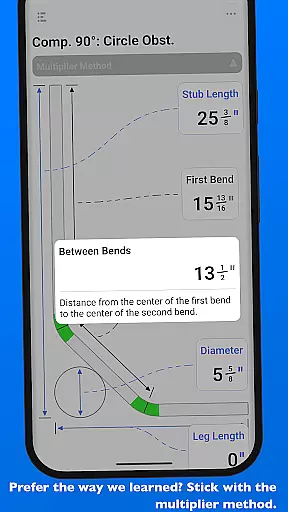
In addition to its calculation capabilities, QuickBend includes practical tools like QuickCheck, which uses color indicators (red and orange) to signal impossible or unlikely bends before any physical work begins. This preemptive feature saves both time and materials. Furthermore, the app supports over 15 different types of bends, including complex configurations like Parallel Offsets and Segmented 90° bends, giving users flexibility in tackling diverse projects.
Usability is another strong suit of QuickBend. Its dual input styles—number pad and slider bar—allow users to choose their preferred method for entering data. The ability to switch between imperial and metric units adds versatility, while the pinning feature for frequently used benders streamlines workflow. Overall, these robust features make QuickBend an indispensable tool for enhancing efficiency and accuracy in electrical work.
For professionals relying on precise calculations, QuickBend offers an advanced conduit bending calculator that stands out in the realm of productivity tools. This app is meticulously designed to ensure electricians and other tradespeople can manage their bending tasks with unparalleled accuracy.
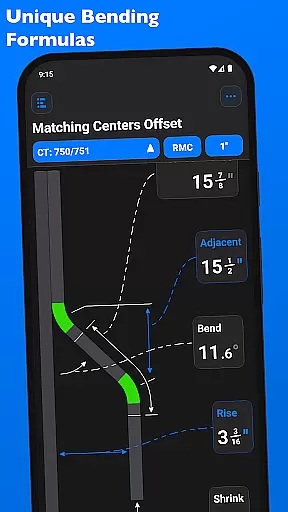
The core task management feature of QuickBend takes into account various parameters such as the radius of the shoe and bender, conduit type, and size diameter. By integrating a centerline radius algorithm, it generates the most accurate measurements, which have been rigorously tested in the field to ensure reliability and precision for both simple and complex bends.
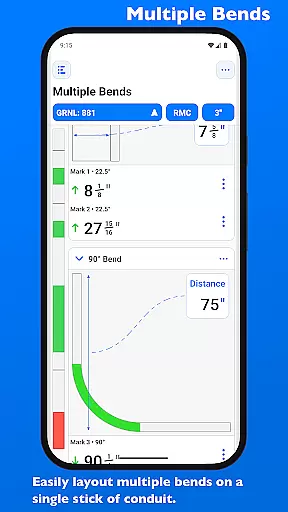
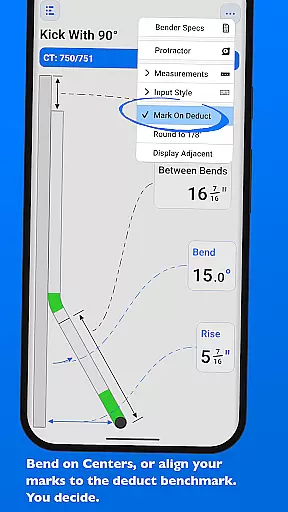
QuickBend supports a wide array of bend types including Offset, Rolling Offset, Three-Point Saddle, and more, allowing users to layout multiple bends on a single conduit. The ability to easily flip individual or a set of marks per bend adds another layer of flexibility and control over the task management process.
Ultimately, this level of detailed task management empowers users to avoid simple mistakes, save time, and reduce material waste, making their workflow not only faster but also more cost-effective. Whether you are a seasoned professional or a DIY enthusiast, QuickBend's comprehensive approach to task management ensures that every project is executed with exactness and efficiency.
In today's fast-paced work environments, having reliable cross-device synchronization is crucial for maintaining workflow continuity. QuickBend addresses this need by ensuring that your conduit bending projects are seamlessly synchronized across all your devices, providing you with the flexibility to work anytime, anywhere.
Whether you're transitioning from a jobsite to an office setting or simply prefer switching between devices, QuickBend's synchronization feature guarantees that all your data, including bend specifications and conduit configurations, are updated in real-time. This means you can start a calculation on your mobile device and continue refining it on a tablet without missing a beat.
Moreover, QuickBend allows you to pin frequently used benders so you can quickly switch between them without scrolling through options repeatedly. This personalized setup syncs across devices, ensuring that your preferred tools and settings are always at your fingertips, regardless of the device you're using.
By prioritizing synchronization reliability, QuickBend not only enhances productivity but also provides peace of mind knowing that your critical project information is securely backed up and consistently available across all your devices. This seamless integration underscores QuickBend's commitment to delivering a robust and dependable user experience.
User-friendly interface
Highly accurate calculations
Supports multiple bend types
Color-coded error warnings
Customizable unit preferences
Steep learning curve
Premium price point
Limited to conduit work
No offline functionality
Complex navigation for new users

Easily read and manage all your PDF files
 4.10
4.10
Protect and view your important info on your phone and tablet with eWallet®
4.80
Device's storage information in a simple and clear graphical form (infographics)
4.10
Secure, fast, open-source, Remote Desktop Client for Windows and Linux with SSH
4.60
ID.me Authenticator is a simple and free Two Factor Authentication solution
3.50
Understand anything with a personalized AI research assistant
4.80
Scan paperwork into PDF/JPG, generate your own e-signature and send fax or email
4.70
AT&T Internet customers can use this app to personalize their Wi-Fi network.
4.40
2026 USPS Alpha/Color coded calendar Sunday/Rotating day off schedules
4.3
All document reader, all in one file viewer read PDF, DOCX, XLS, PPT, TXT files.
4.60
PDF scanner & converter for files, photos, lottery, QR codes. One swipe away!
4.50
Tally and goal counter for Wear OS & mobile
4.50
Secure your apps with lock screens, use custom themes and different features.
4.40
A customizable calendar for your Wear OS watch
4.20
Professional calendar app for Google Calendar, MS Outlook & Exchange
4.20
Unlock AutoNotification
4.00
Remotely view listen control and record cameras.
3.70
Code on-the-go with VScode for Android. Edit,debug and collaborate from mobile!!
3.10
A simple, portable logger for POTA, SOTA, Field Day, and more
4.5


User Reviews