
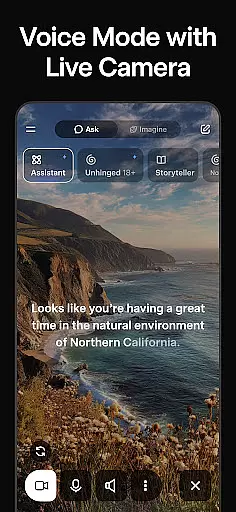
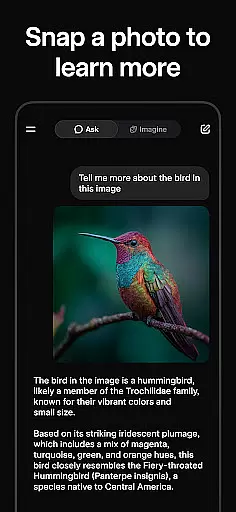
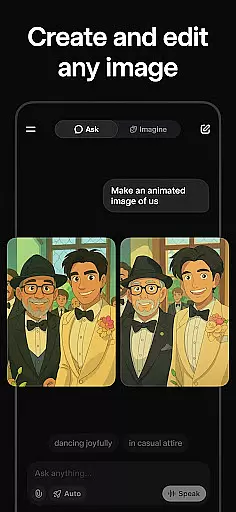
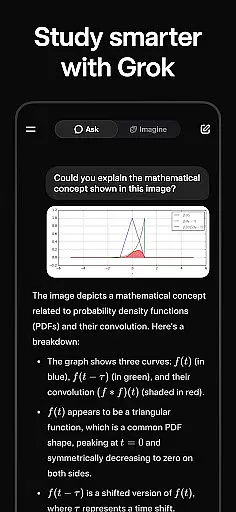
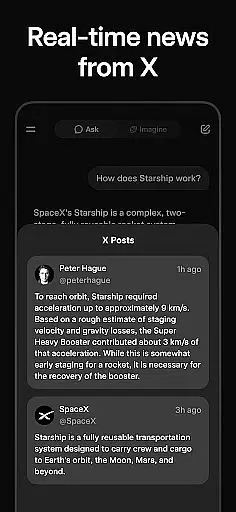
Grok is an advanced AI-powered assistant developed by xAI, designed to enhance productivity through its truthfulness, utility, and curiosity. This app allows users to ask any question and receive accurate answers, generate visually striking images and videos, and engage in natural conversations using voice mode. Grok also supports picture uploads, providing deeper insights into the content of images. Whether you're looking for information, creative inspiration, or seamless communication, Grok serves as a versatile tool that empowers users across various tasks.
With its cutting-edge AI capabilities, Grok stands out in the Productivity category by streamlining workflows and offering innovative solutions for everyday challenges. From professionals seeking efficient data processing to creatives needing visual content generation, Grok adapts to diverse user needs while maintaining high standards of accuracy and engagement.
Grok offers a comprehensive suite of features tailored to boost productivity. Its core functionality includes answering questions with precision, making it a reliable source of information for users. The app's ability to generate high-quality images and videos adds a creative edge, enabling users to produce professional-grade multimedia content effortlessly. Additionally, Grok's voice mode facilitates natural and intuitive conversations, enhancing user interaction without the need for text-based input.
Another standout feature is Grok's image analysis capability, which allows users to upload pictures and receive detailed interpretations. This functionality proves invaluable for tasks requiring visual understanding, such as identifying objects or extracting contextual information from images. By combining these features, Grok creates a cohesive ecosystem where users can seamlessly transition between asking questions, generating content, and analyzing visuals, all within a single platform.
Task management is a cornerstone of productivity applications, and Grok excels in this area by offering users an AI-powered assistant that can handle a variety of tasks. This includes answering questions, generating images and videos, and even engaging in voice conversations.
Grok's approach to task management is designed to be maximally truthful, useful, and curious, ensuring that users receive accurate information and assistance. The AI leverages advanced algorithms to provide insightful responses and create content that aligns with user requests.
Users benefit from Grok's ability to manage both simple and complex tasks across multiple formats, enhancing their productivity. Whether it's through natural language processing for voice interactions or image recognition for uploaded pictures, Grok provides a seamless experience.
The true value of Grok's task management lies in its versatility and depth, allowing users to interact with their digital environment more effectively. By integrating various forms of media and communication, Grok becomes an indispensable tool for managing daily tasks efficiently.
Cross-device synchronization is essential for maintaining workflow continuity, and Grok ensures reliable performance across different platforms. Users can seamlessly transition between devices without losing progress on their tasks or compromising data integrity.
Grok employs robust cloud-based infrastructure to support real-time updates and synchronization. This means that whether you're using your smartphone, tablet, or computer, all interactions with Grok are updated instantly across all devices.
This level of reliability benefits users who rely on consistent access to their information regardless of the device they are using. It enhances flexibility and allows for a more dynamic work style where tasks can be picked up and left off at any point.
Ultimately, Grok's cross-device synchronization empowers users to stay productive no matter where they are or what device they have at hand. With secure and dependable syncing capabilities, Grok supports a modern approach to task management and productivity.
Highly accurate responses
Advanced image and video generation
Natural voice interaction
Comprehensive image analysis
Versatile productivity tool
Limited offline functionality
Requires stable internet
Premium features may cost extra
Occasional learning curve
Dependent on cloud processing

When you Focus, so will your Bean in this cozy focus timer
 4.30
4.30
The long-awaited modern gallery app for your Nextcloud server
4.70
8 custom complications. Custom Time Fonts. Beautiful color schemes. A++ Design.
5.00
Device's storage information in a simple and clear graphical form (infographics)
4.10
IP Camera Viewer - Android TV : RTSP Surveillance camera viewer for Android TV
4.0
Customizable calendar widget for seamless event sync, planning & scheduling.
4.00
aCalendar+ makes your day, week and month
4.70
Find and delete junk files & block unwanted notifications & manage files
3.70
Tally and goal counter for Wear OS & mobile
4.50
Simple notepad & memo. Take notes, to-do list, shopping list with reminders.
4.80
Scan paperwork into PDF/JPG, generate your own e-signature and send fax or email
4.70
Quickly and easily keep track of your work shifts
4.70
Client for Nextcloud Deck
4.60
Lightweight PDF, Word, Excel reader.
4.60
Translate text/voice/photos in 150+ languages. Offline & fast translator app.
4.50
A customizable calendar for your Wear OS watch
4.20
Activate Two Factor Authentication (2FA or Multi OTP), Password manager and more
4.10
Ads Free App! Editor, Hide File, Copy, Move, Delete and Rename.. all facility av
1.70
A comprehensive suite of tools designed specifically for Lactation Consultants
4.1


User Reviews