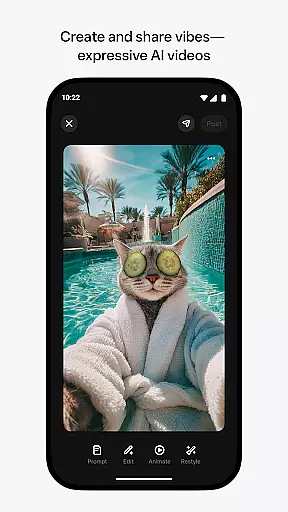
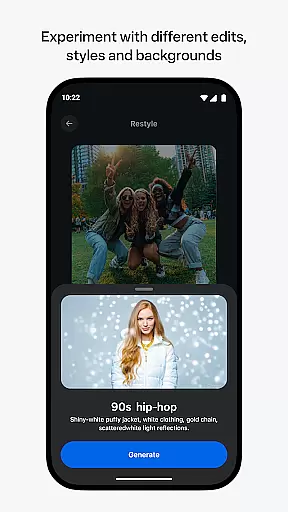
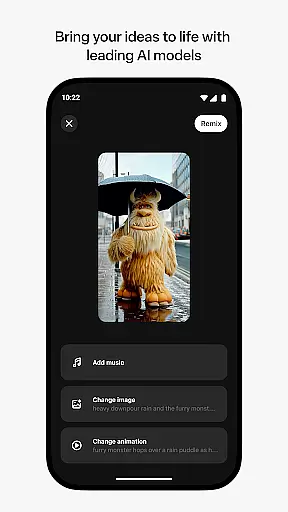
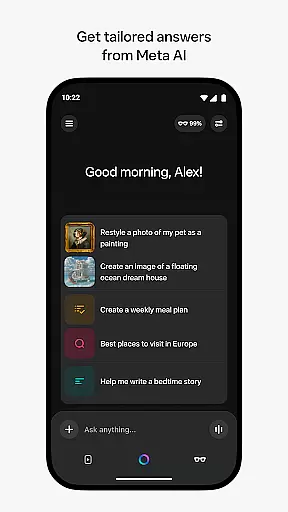
Meta AI is a productivity app that allows users to create and share AI-generated videos with custom animations, music, and more. The app provides tailored answers and inspiration on-the-go, making it an ideal tool for creative professionals and hobbyists alike. With Meta AI, users can describe their desired video concept and experiment with various edits and styles to produce the perfect vibe.
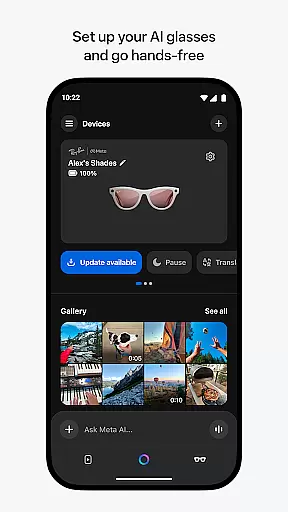
In addition to its video creation capabilities, Meta AI also serves as a personal AI assistant. Users can interact with the app through voice or text to receive personalized assistance throughout the day. The app is also the required companion for managing Meta AI glasses, enabling hands-free operation and seamless media management.
Whether you're looking to create unique content or streamline your daily tasks, Meta AI offers a versatile solution that combines cutting-edge AI technology with user-friendly features.
Meta AI stands out with its industry-leading AI models that generate creative videos. Users can customize animations, music, and other elements to bring their ideas to life. The app's intuitive interface allows for easy experimentation with different edits and styles, ensuring that each video is unique and expressive.
Beyond video creation, Meta AI offers a robust personal assistant feature. Through voice or text commands, users can receive tailored answers and recommendations, enhancing productivity and convenience. The app also supports Meta AI glasses, providing a hands-free experience and advanced media management capabilities.
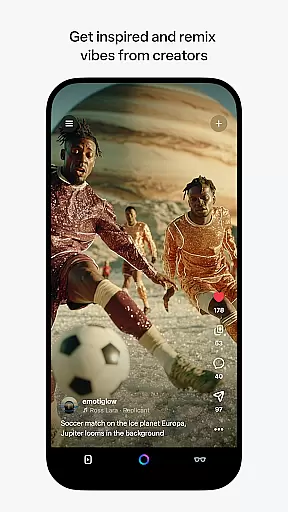
With a vibrant community of AI creators, Meta AI fosters creativity and collaboration. Users can discover and remix content from others, expanding their creative possibilities and engaging with a supportive network of like-minded individuals.
Meta AI offers a robust platform for creating and managing AI-generated content, ensuring users can efficiently handle their creative tasks. The app provides tailored answers and inspiration on-the-go, making it an essential tool for productivity.
With the ability to generate videos with custom animations and music, users can describe their vision and experiment with various edits and styles. This feature streamlines the process of video creation, allowing users to focus on refining their ideas rather than getting bogged down by technical details.
The app also includes a feed where users can discover content from other creators and instantly remix them. This collaborative environment fosters creativity and innovation, enabling users to build upon existing works to create something unique.
Additionally, Meta AI serves as the companion app for managing AI glasses, further enhancing productivity by allowing users to go hands-free. This integration ensures that users can manage their devices and media efficiently, keeping them focused on their tasks.
Cross-device synchronization is a critical feature of Meta AI, ensuring that users can seamlessly manage their AI glasses and other devices. By pairing with AI glasses, the app allows users to import and share media, maintaining a reliable connection across all their devices.
This synchronization capability ensures that users have access to their creations and data wherever they go. Whether working on a video project or managing daily tasks, users can trust that their information is up-to-date and accessible on any device.
Meta AI's voice and text interaction capabilities further enhance this reliability. Users can obtain personal AI assistance throughout the day, ensuring that their tasks are managed efficiently and effectively across different platforms.
Although certain features may roll out slowly over time and vary by region, the core functionality of cross-device synchronization remains a strong point. This ensures that users in supported areas can rely on Meta AI to keep their workflows uninterrupted and their creative processes smooth.
User-friendly interface
Customizable video elements
Personalized AI assistance
Hands-free operation with AI glasses
Vibrant creator community
Limited feature availability
Requires Meta AI glasses
Potential learning curve
Dependent on internet connection
Language restrictions

Take control of your clipboard with Clipper!
 3.90
3.90
Remotely view listen control and record cameras.
3.70
Multilingual translator for text, voice, and image translation!
4.90
Tally and goal counter for Wear OS & mobile
4.50
A comprehensive suite of tools designed specifically for Lactation Consultants
4.1
The ultimate file manager for rooted devices. The original and still the best.
4.00
Access your phone's notifications, calls, apps, photos & texts on your PC
3.90
Lightweight PDF, Word, Excel reader.
4.60
Put a lock on your cloud: Take the security of your data into your own hands
3.70
Understand anything with a personalized AI research assistant
4.80
Stay on top of your to-dos with Google Tasks, part of Google Workspace.
4.60
Functional QR scanner and barcode reader that requires little storage space.
4.60
Calendar 2023 widget for Android. Appointment scheduler, planner, and reminder
4.60
Send files, sync SMS, notifications & clipboard across devices via local network
4.40
Docker, Kubernetes management over Portainer Mobile
4.40
Secure your apps with lock screens, use custom themes and different features.
4.40
Todo reminder
4.10
Activate Two Factor Authentication (2FA or Multi OTP), Password manager and more
4.10
Ads Free App! Editor, Hide File, Copy, Move, Delete and Rename.. all facility av
1.70


User Reviews